FASTag KYV Online Update Process: The National Highways Authority of India (NHAI) has made easier the Know Your Vehicle (KYV) process in order to improve the customer experience for FASTag users. Under to the revised guidelines provided by Indian Highways Management Company Limited (IHMCL), FASTag services will not be discontinued for non-compliant cars, and users will have sufficient time to complete the KYV process.
| Feature | Detail |
|---|---|
| Name of Topic | FASTag Know Your Vehicle (KYV) |
| Launched By | National Highways Authority of India (NHAI) |
| Rules Updated by | Indian Highways Management Company Limited (IHMCL) |
| Portal Name | FASTag KYV Portal |
| Official Website | https://fastag.kyv.in |
| Application Mode | Online |
| Last Date | Varies by notification |
| Document Required | RC, Photo ID, Address Proof |
| Verification Mode | Online via bank website or mobile app |
| Purpose | Create a secure and transparent platform for vehicle owner verification |
| Status Check | Available Online |
| Customer Support | Yes, via portal |
| KYV Validity | Valid as per NHAI guidelines |
| Start Date | October 31, 2025 |
| Helpline Number | 1033 |
What is FASTag KYV?
FASTag KYV is an identity verification process for vehicle owners using FASTag toll payments, mandatory for compliance with NHAI rules.
New FASTag KYV Updated Rules
| Key Point | Details |
|---|---|
| Photo Requirement | #Under the simplified KYV rules, side pictures of a vehicle, jeep, or van are no longer mandatory. #Only the front photo of the number plate and FASTag will need to be submitted. |
| RC Details | #In addition, when the user provides the car, chassis, or cellphone number, the RC information will be instantly retrieved from the Vahan database. |
| Multiple Vehicles | #If multiple vehicles are registered to a single cellphone number, the user will be able to pick the vehicle for which he or she desires to complete KYV |
What is Know Your Vehicle (KYV) verification?
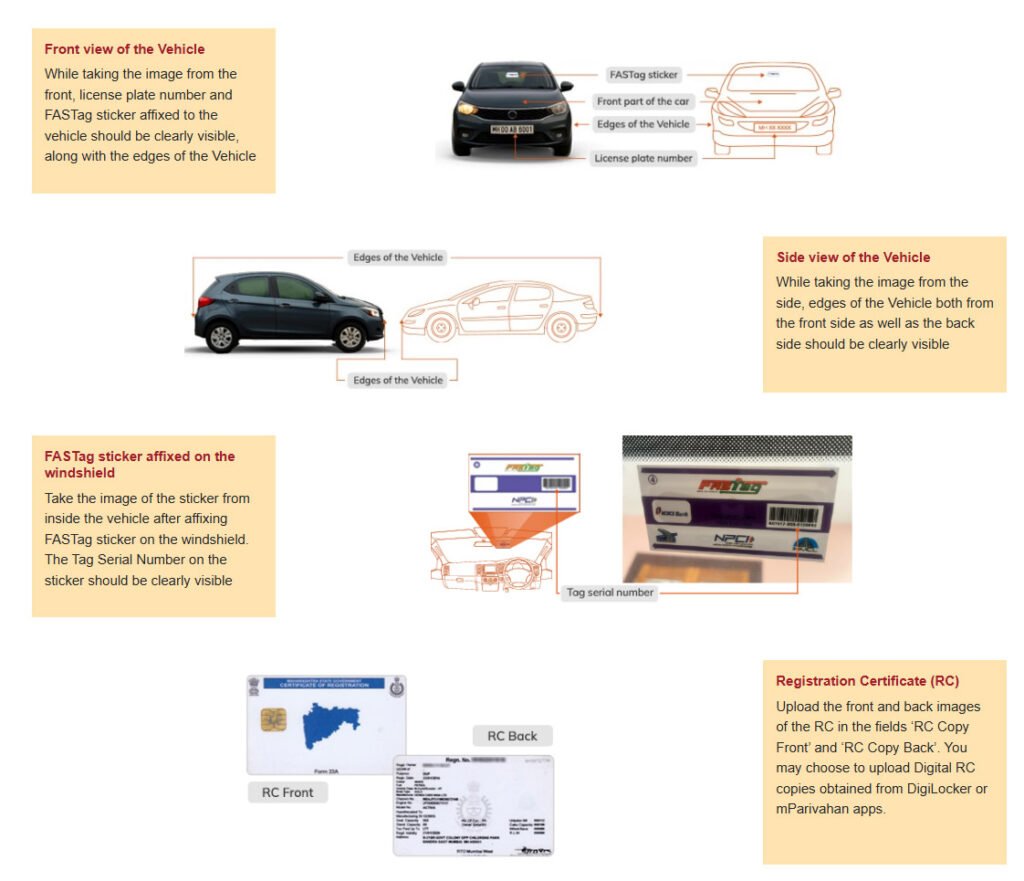
All FASTags issued must be associated with clear photos of both the vehicle and the tag. Hence, you need to submit photographs that are clear of the following:
#The front and side views of your Vehicle
#FASTag sticker affixed on the windshield of your vehicle
#Registration Certificate (RC)
Validity of KYV
Once KYV verification is completed, it remains valid until the vehicle is sold or the registration number changes. If ownership changes, the new owner must repeat the KYV process with updated information and ID proof.
Documents Required for FASTag KYV
- Vehicle Registration Certificate (RC) showing vehicle number and owner’s name.
- Owner’s Photo ID (Aadhar Card, PAN Card, or Driving License)
- Address Proof (Utility Bill, Passport, etc.)
- Passport Size Photograph (recent)
- Mobile Number and Email Address (for registration)
FASTag KYV Online verification Process
Step 1: First to visit the customer login portal: Click Here
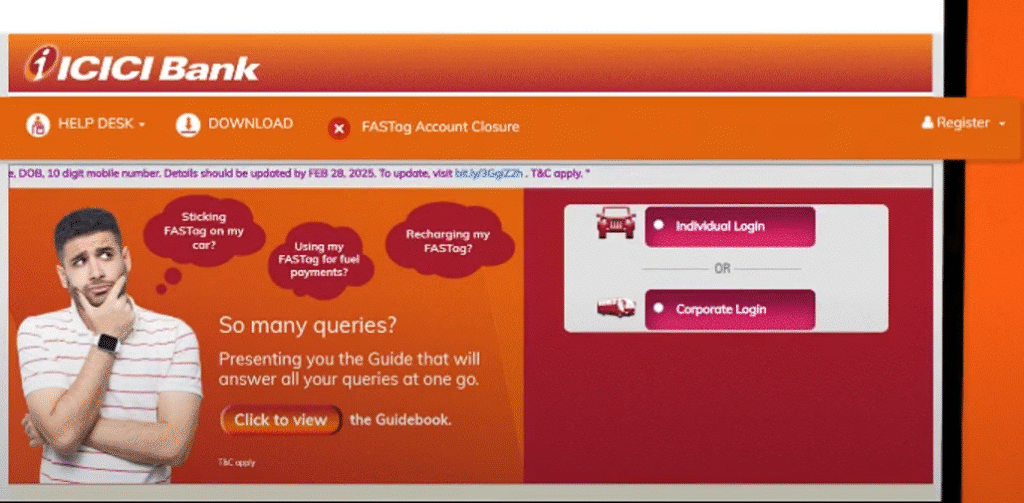
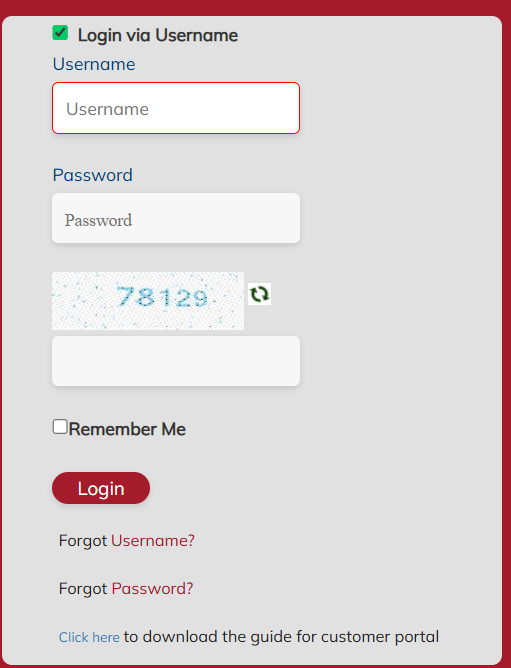
Step 2: Log in to the portal using your login credentials. To generate your user credentials, first ‘Register’ on the portal.
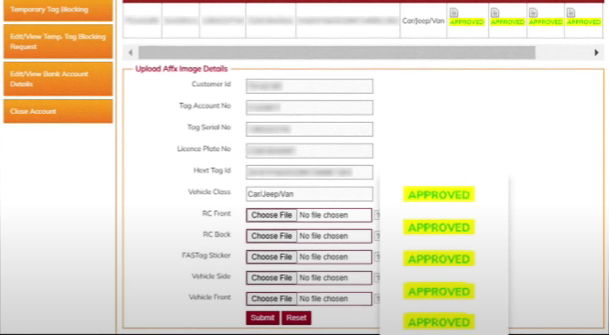
Step 3: Click on ‘Upload KYV (know your vehicle) images’
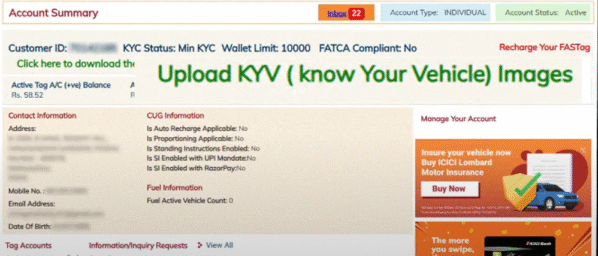
Step 4: Click on ‘Select’ for the vehicle number for which the KYV verification has to be done.
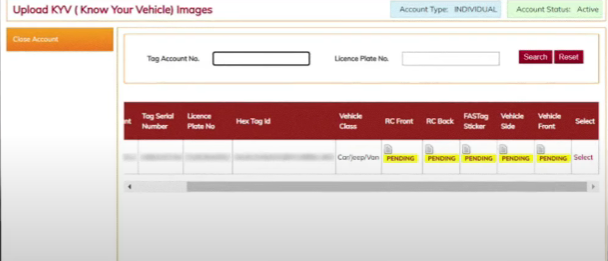
Step 5: Your ‘Customer ID’, ‘Tag account No’, ‘Tag Serial No.’, ‘License Plate No.’, ‘HexTag ID’, and ‘Vehicle Class’ information will be auto-populated. Confirm the details.
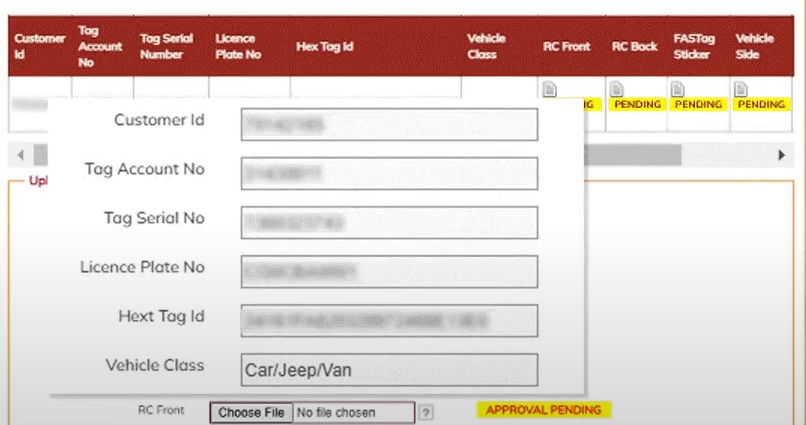
Step 6: ‘Upload’ the images of the following:
- RC Copy (Front and Back Side)
- FASTag sticker affixed on the windshield
- Vehicle (Front view of the Vehicle, Side view of the Vehicle)
Step 7: Click on ‘Submit’
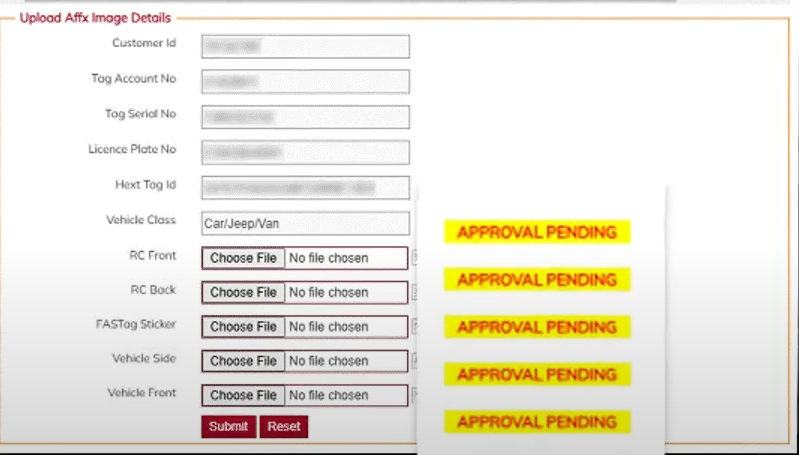
Step 8: You will see a confirmation message on the screen, and the papers you uploaded will be forwarded to the bank for verification.
You will also see that the statuses for the RC, FASTag sticker, and Vehicle (for which photographs have been uploaded) will read ‘Approval Pending’.
Final: Once verified, your FASTag will show status as “Active and Verified”.
Direct Links of Major Banks FASTag Login & KYV
Below are the direct links of FASTag login for KYV of major banks and FASTag issuers.
- Airtel Payment Bank
- Axis Bank
- Bank of Baroda
- Yes Bank
- Kotak Mahindra
- Indusind Bank
- IDBI Bank
- Canara Bank
- Bank of Maharashtra
- Bajaj FinServ
- AU Small Finance Bank
- IDFC First bank
- HDFC Bank
- SBI FASTag Login
- Punjab National Bank
Step to Check NETC FASTag Status/ KYV
Step 1: First visit to NPCI Official Portal https://www.npci.org.in/.
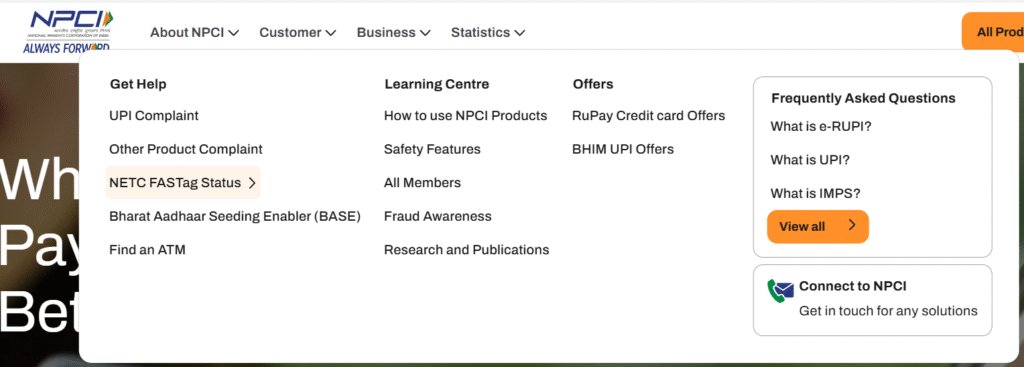
Step 2: After that, go to NECT FASTag Status Option under Customer Menu Section.
Step 3: NECT FASTag Status Page displayed on the screen.
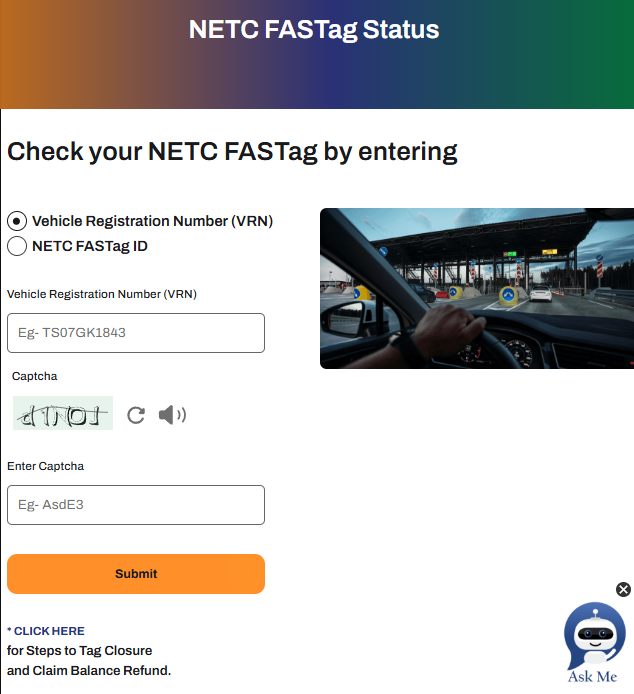
Step 4: Now enter the Vehicle Registration Number (VRN) or NETC FASTag ID details.
Step 5: After that, enter the Captcha and Click on SUBMIT Button.
Step 6: Finally see the FASTag Status on the browser screen included with:
- Your FASTag will display your Tag ID, VRN (Vehicle Registration Number), Issuer Bank, Vehicle Class, Action (Status), and Issue Date.
- You will also notice any inactive former FASTags that were associated with the same VRN.
Note: You can check the status of your FASTag KYV on the bank’s website, and banks and issuers will also provide SMS confirmation of the KVY status.