Didi Ke Bolo: For public grievances, the West Bengal government launched a new Didi Ke Bolo Portal at didikebolo.com. This initiative was launched by Chief Minister Mamata Banerjee herself in an attempt to engage the public. In April 2019, Didi Ke Bolo launched a new website at www.didikebolo.com, and a new phone number, 9137091370.
IMPORTANT: The Didi ke Bolo Portal's online complaint registration is now closed. To register a complaint, simply call 9137091370. To find out the status of your complaint, go to cmo.wb.gov.in.
| Feature | Description |
|---|---|
| Portal Name | Didi Ke Bolo |
| Started By | All India Trinamool Congress |
| Beneficiary | The people of West Bengal |
| Purpose | Citizen grievance redressal communication |
| Registration Mode | Online portal registration |
| Complaint Submission Modes | Online form, WhatsApp, phone, email |
| https://www.facebook.com/DidiKeBolo/ | |
| X.com formerly Known as Twitter | https://x.com/DidiKeBolo |
| https://instagram.com/didikebolo/ | |
| Official Website | didikebolo.com |
| WhatsApp Number | +91 9137091370 |
| CM WB Contact Details | (033) 2214-5555, 2214-3101 |
| Office Address | Nabanna, 14th Floor, 325, Sarat Chatterjee Road, Mandirtala, Shibpur, Howrah-711102 |
| Lodge Grievance/Suggestions/Feedback | Call 9137091370 |
| Email Address | support@didikebolo.com, wbcmro@gmail.com |
| Complaint Tracking | Via portal login, WhatsApp, SMS |
| Language Support | Bengali, English, Hindi |
| Cost | Free |
| Anonymous Complaint Option | Yes |
Didi Ke Bolo Registration
The All India Trinamool Congress launched the Didi Ke Bolo initiative, which gives West Bengal residents an opportunity to submit their grievances or concerns to Mamata Banerjee, the state chief minister and chairman of the Trinamool. To file complain or suggestion then go to Official Website of Didi ke Bolo i.e. didikebolo.com.

Step to file Complaint under Didi Ke Bolo Portal
Step 1: Launch your browser and proceed to [didikebolo.com], the complaints portal of Didi Ke Bolo.
Step 2: After that, fill the complain details like name, age, profession, qualification, phone number, WhatsApp Number, District, Block, Constituency Details, Select URBAN/ Rural and other question details.
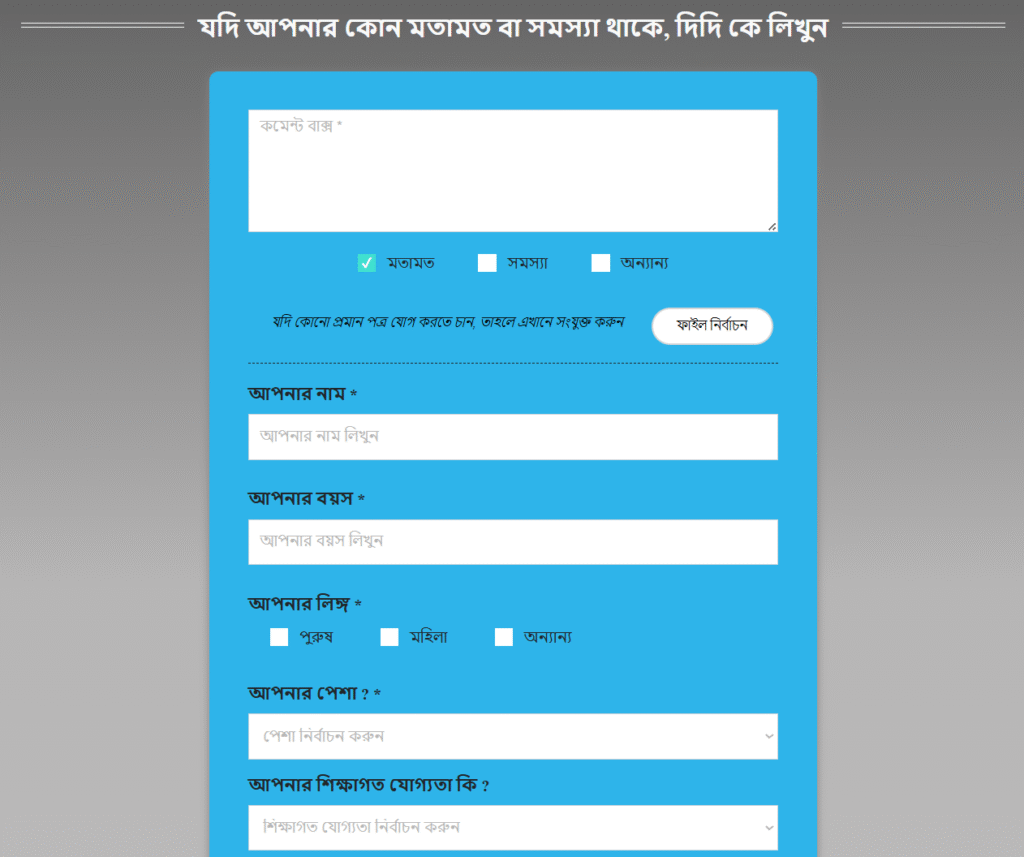

Step 3: Click on SUBMIT button to file the complaint/ suggestion.
How to Check Didi Ke Bolo online Complaint Status?
Step 1: Launch your browser and proceed to [cmo.wb.gov.in], the complaints portal of the Chief Minister’s Office.

Step 2: After that, Click on “Know Your Grievance” Option given under menu option.
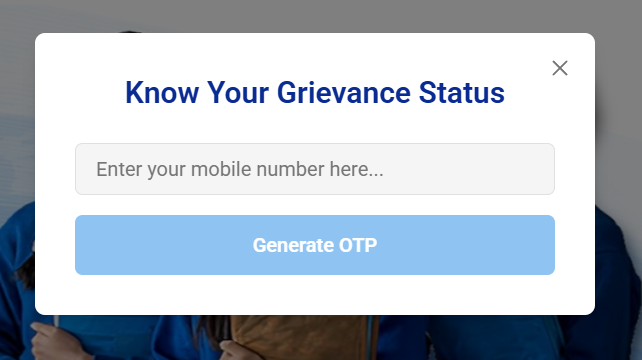
Step 3: Pop up the “Know Your Grievance Status” Page and enter the mobile number.
Step 4: Click on Generate OTP button and get OTP on your mobile phone number.
Step 5: Now, enter the OTP on the screen place and Click on SUBMIT button.
Step 6: Complaint Status displayed on the screen and check you Grievance Status.