CEO Odisha Voter List 2026: CEO Odisha manages preparation, revision, and publication of the voter list for all assembly constituencies in the state, including the 2026 electoral roll with photographs. Citizens can search for their name, obtain the electoral roll PDF, and correct or amend entries using online facilities provided by ceoodisha.nic.in and the Election Commission of India’s Voters’ facilities Portal.
Key features include district-specific electoral roll downloads, searches by EPIC or personal details, booth-level information, and connections to historical SIR voter lists such as the 2002 roll for reference. These tools assist new voters, migrating citizens, and individuals confirming their information before to elections to make sure their names appear accurately on the final list.
CEO Odisha Voter List 2026 Overview
| Particulars | Details |
|---|---|
| Article Name | CEO Odisha Voter List 2026 PDF Download, Electoral Roll with Photo |
| Official Authority | Chief Electoral Officer (CEO), Odisha |
| Document Type | Electoral Roll/Voter List PDF |
| Year of Revision | 2026 (latest special intensive revision) |
| Official Website | https://ceoodisha.nic.in |
| Supporting National Portal | Voters’ Services Portal – https://voters.eci.gov.in |
| How to Check Name | Online search by name/EPIC No. |
| PDF Download Availability | Yes |
| Voter List Includes | Name, Photo, Address, Voter ID, Polling booth details |
| Purpose of List 2026 | Preparation of updated electoral roll with photo for upcoming elections and special intensive revision (SIR) |
| Qualifying Date | 01.01.2026 for Special Summary Revision (SSR/SIR) |
| Gender Ratio (State Avg.) | Approx. 980-1000 females per 1000 males in recent rolls |
| Total Electors (2024 Final Roll) | Over 3.32 crore (33,236,360) across 147 Assembly Constituencies |
| Coverage | All districts and assembly constituencies (ACs) in Odisha – 147 ACs, 33 Districts, Photos & EPIC in most entries (95%+ photo coverage) |
| Available Formats | Assembly-wise and part-wise PDF electoral roll with photographs |
| Key Online Services | View/download electoral roll, search name, voter registration forms, booth information |
| Old SIR Rolls Access | Dedicated page to view 2002 voter list and other old SIR electoral rolls |
| Helpline | Toll-free voter helpline 1950 and contact details on CEO Odisha portal |
Odisha SIR 2025 Latest Updates
Special Intensive Revision (SIR) exercises are conducted to update the electoral roll by adding new eligible voters, removing ineligible entries, and correcting details before major elections. For Odisha, SIR-related voter lists and tools are linked from the CEO website and the Election Commission’s Voters’ Services Portal, where citizens can search by state, district, and constituency.
Old SIR voter lists from 2002, 2003, and 2005 are also available on dedicated SIR sites, allowing users to check past data and compare entries as needed. These materials are especially important for documenting, legally verifying, and monitoring previous enrolment information.
Download CEO Odisha Last SIR Voter List 2002 Electoral Roll PDF
Follow these steps to download the old SIR 2002 voter list of Odisha in PDF format:
Open the official CEO Odisha website in your browser: ceoodisha.nic.in and go to the “View 2002 voter list” or “View Electoral Roll 2002” section.
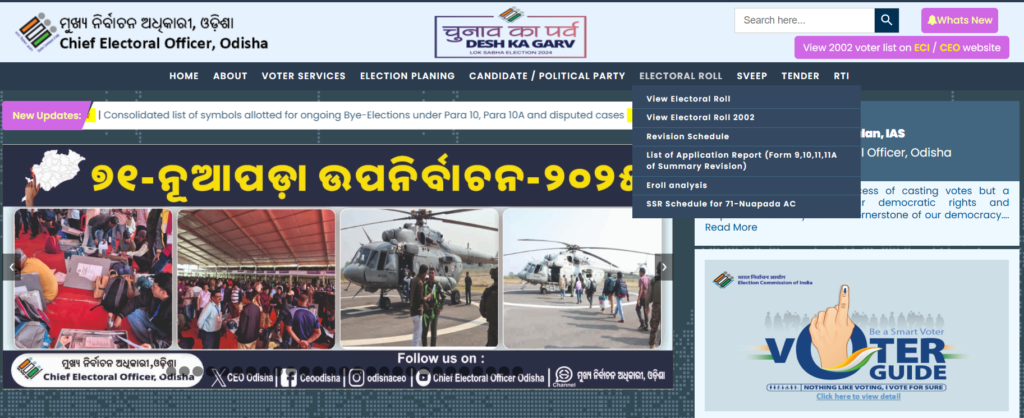
On the “View Electoral Roll 2002” page, select your District from the drop-down menu.
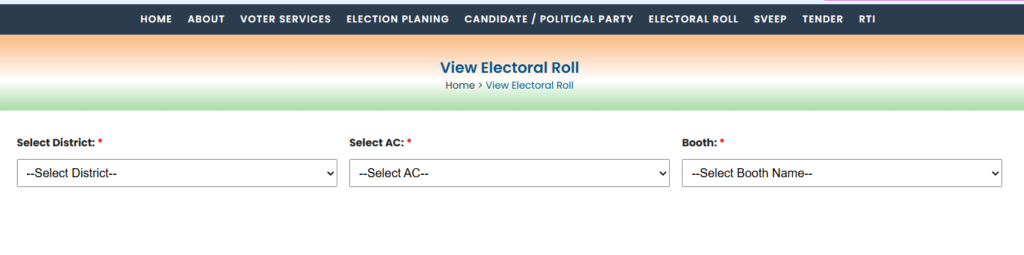
Next, select the relevant Assembly Constituency (AC) from the available list.
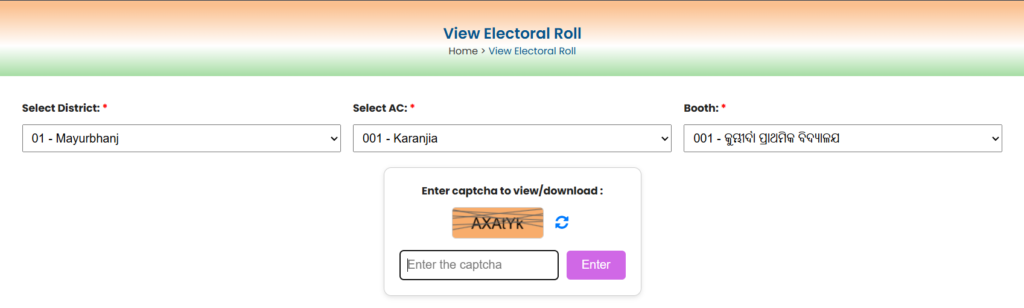
Choose your Booth/Part name or number for which you need the electoral roll.
Enter the displayed captcha code correctly in the given box.
Click on the View or Download button to open the PDF file for that part.
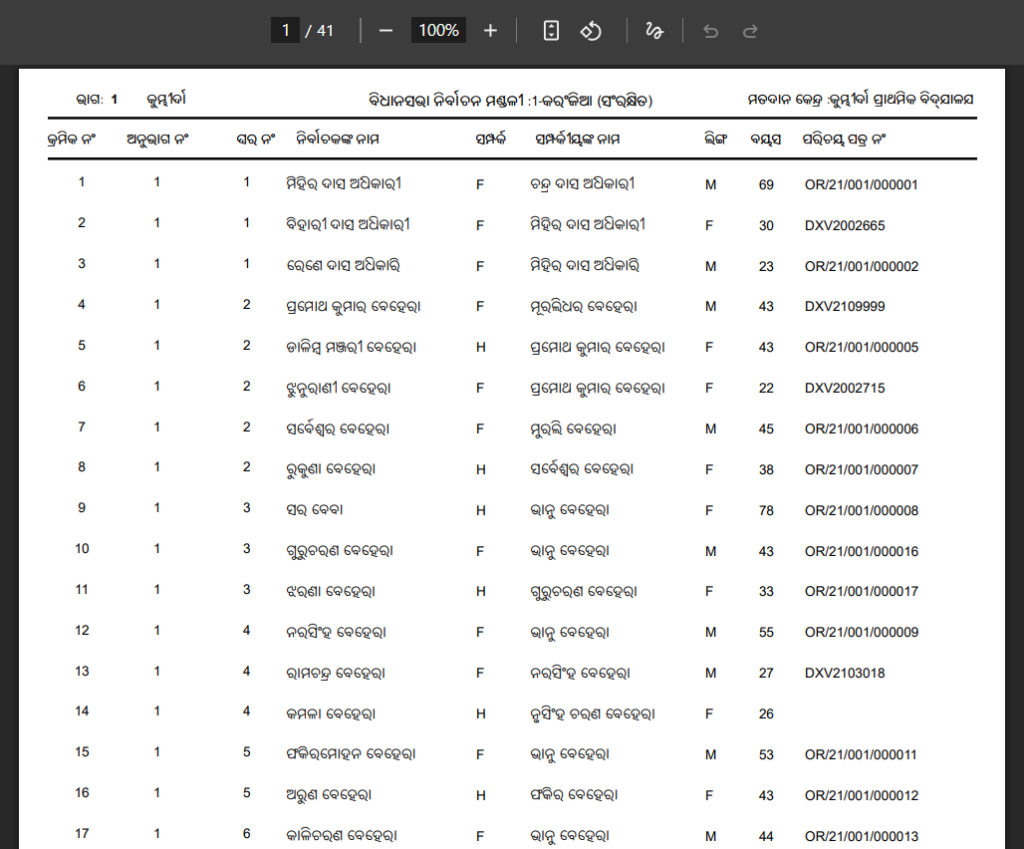
Save the PDF on your device and search your name manually within the downloaded SIR 2002 voter list.
Download CEO Odisha Voter List 2026 Electoral Roll PDF
To download the latest Odisha voter list 2026 electoral roll with photo:
Step 1: Visit the CEO Odisha official website at https://ceoodisha.nic.in or the state electoral roll view page.
Step 2: On the homepage, Navigate to the “View Electoral Roll” / “Download Electoral Roll” or similar voter services link on the homepage.
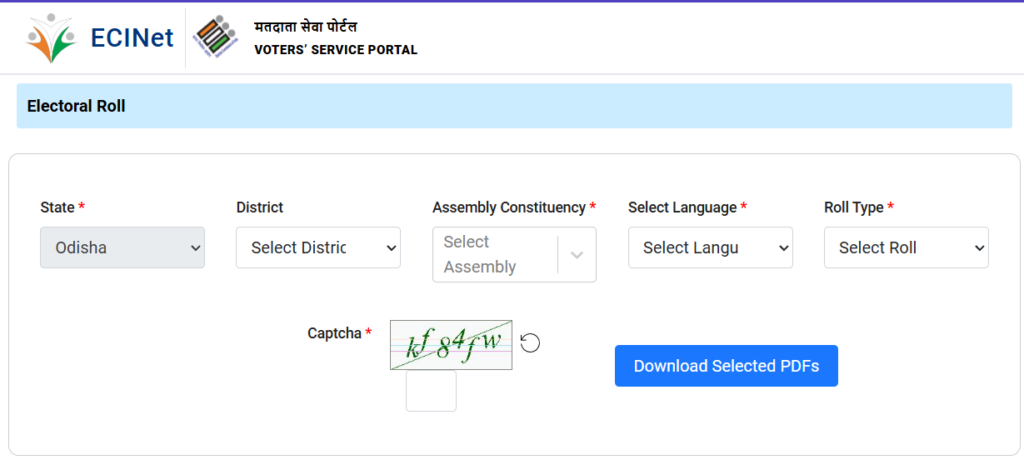
Step 3: Select your District, Assembly Constituency, Select Language, Roll Type and Part Number (Booth).
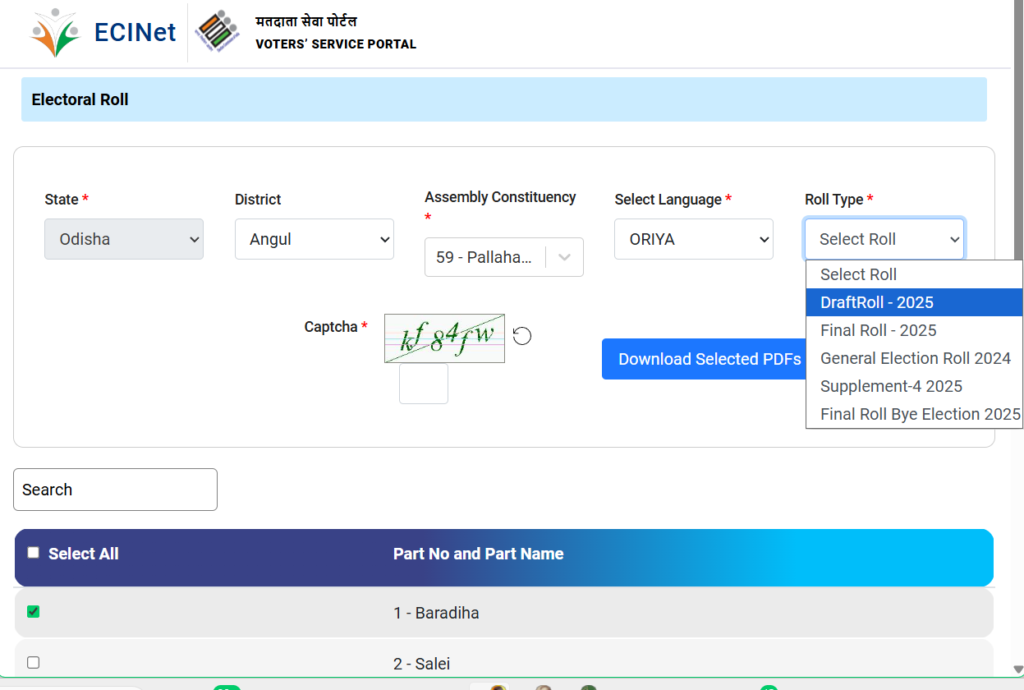
Step 4: Enter the provided captcha or security code if required. After that, click on Download Selected PDFs
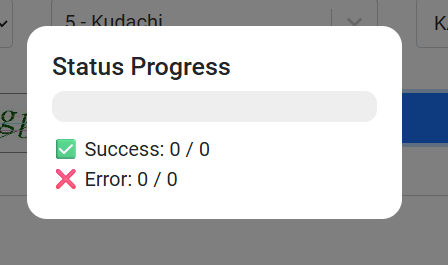
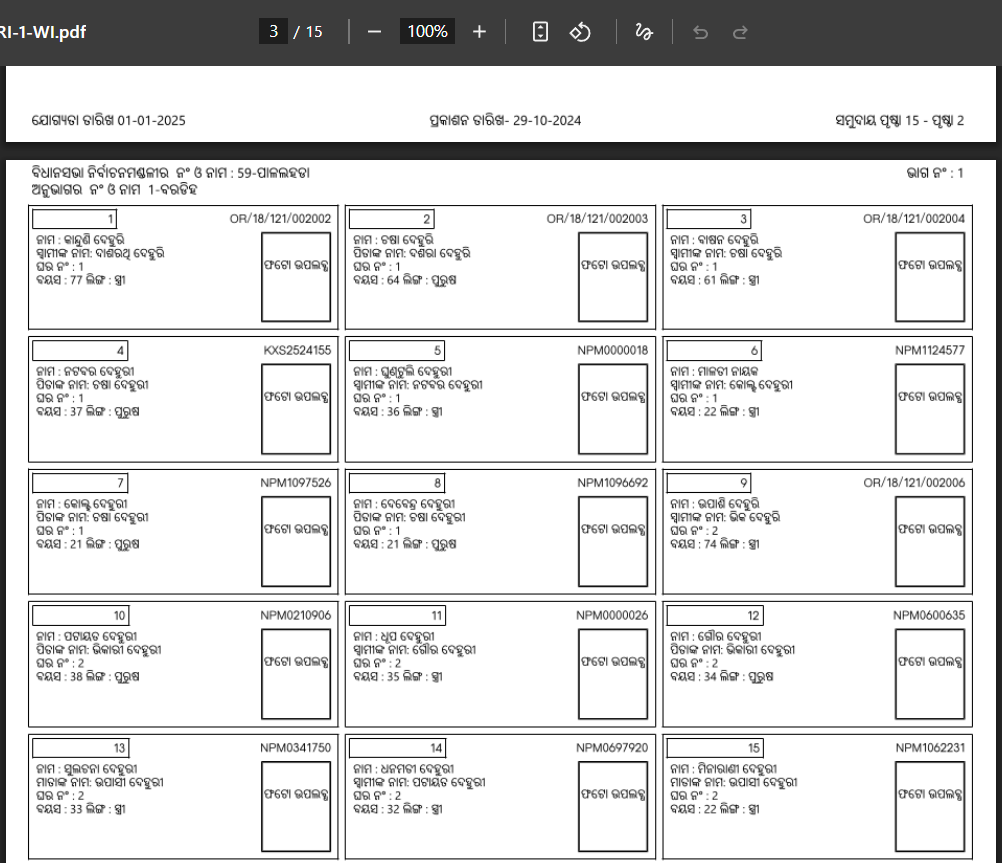
Step 5: Download the PDF file; the voter list will show names, addresses, and photos of eligible voters for your selected area.
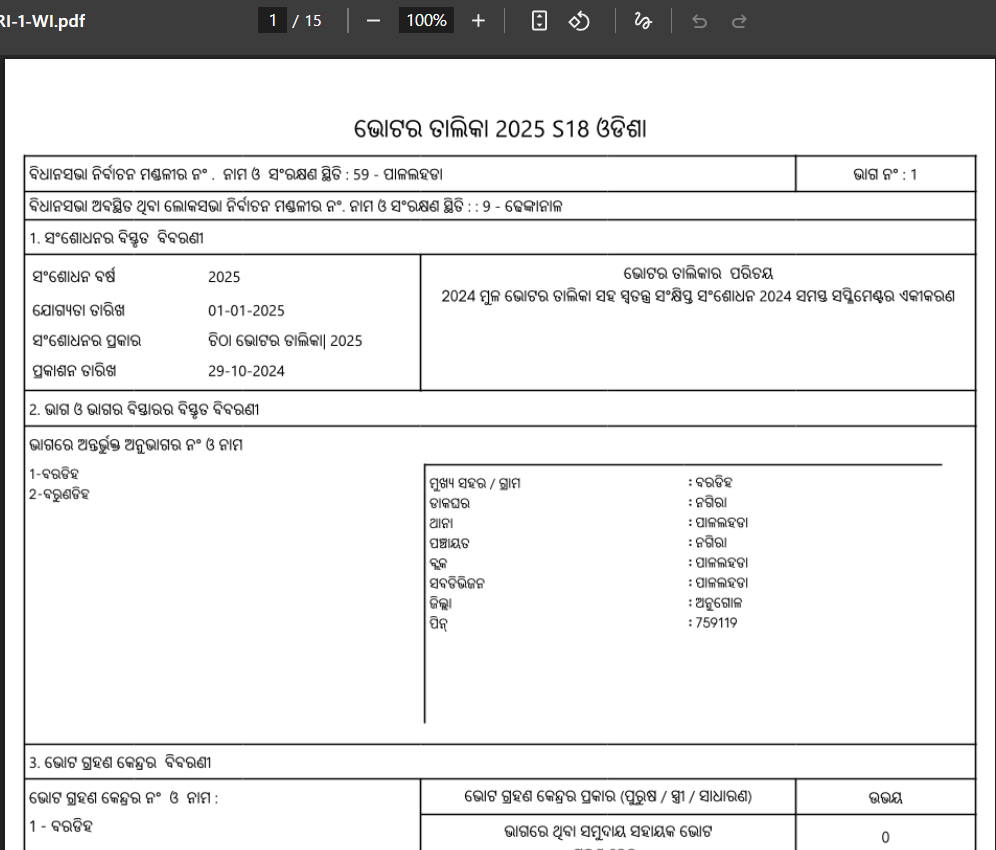
Step 6: Open the PDF to verify if your name and details are present and correct.
Download Odisha Voter ID Card: How to Check Name in Voters List?
Step 1: Visit the official voter portal at https://voters.eci.gov.in.

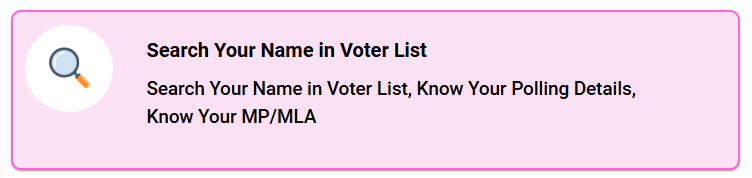
Step 2: Click on ‘Search in Electoral Roll’ or ‘Search Your Name in Voter List’.
Step 3: Choose to search by either:
- Name, father’s/husband’s name, and age/date of birth
- EPIC (Voter ID) Number
- Area/Booth details (District, Assembly Constituency, Polling Booth)
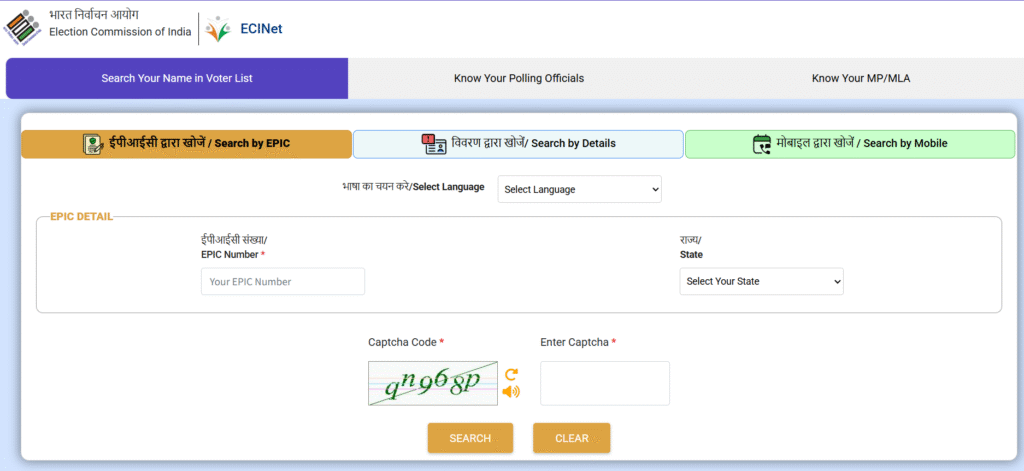
Enter your EPIC Number and Select State.
OR

Type voters name, relatives name, date of birth, age, gender, select district and assembly constituency
OR

Enter your Mobile number and OTP.
Step 4: Enter your details as required and complete the captcha verification.
Step 5: Click on search button and Voter’s details show on the screen.
Finally, Click on “Print Voter Information” and Download PDF file for future reference.
OR
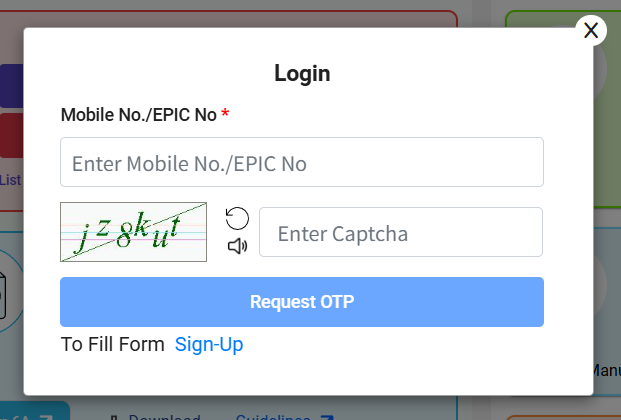
To download your digital Voter ID Card (e-EPIC), if eligible, follow the portal’s links and authenticate with a one-time password (OTP).
How to check your Odisha BLO/ERO/DEO and Polling Station Details?
Step 1: Visit the official website of the Chief Electoral Officer, Odisha at https://ceoodisha.nic.in/.
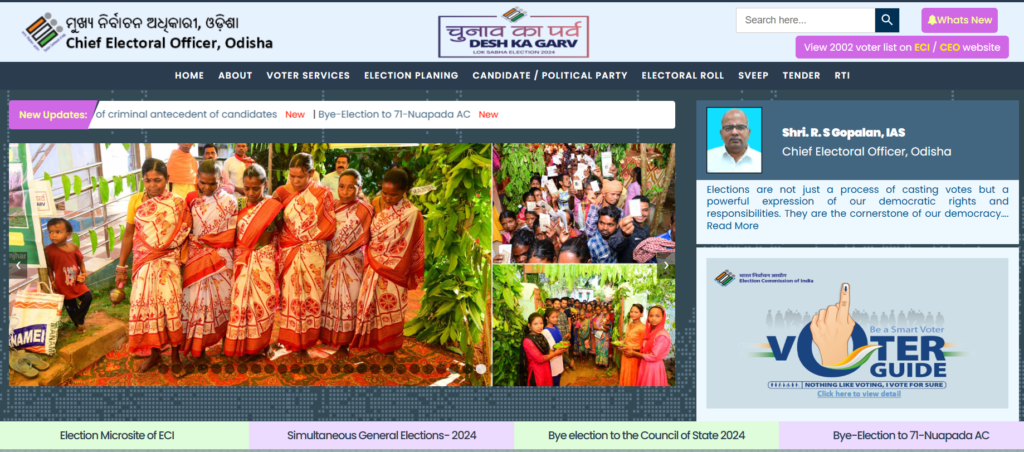
Step 2: After that, click on BLO Details Link given on Menu Option.
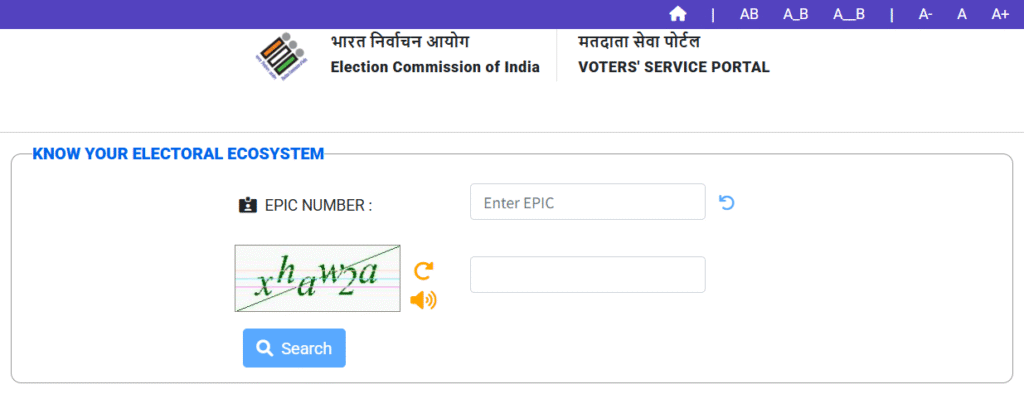
Step 2: Now, enter your EPIC number, Captcha and click on search button.
Step 3: Displayed the BLO/Electoral Officers Details, Assembly/Parliamentary Constituency Details on the screen.

How to book a call with BLO?
Step 1: Visit the official voter portal at https://voters.eci.gov.in.
Step 2: Click on ‘Book a Call with BLO’.
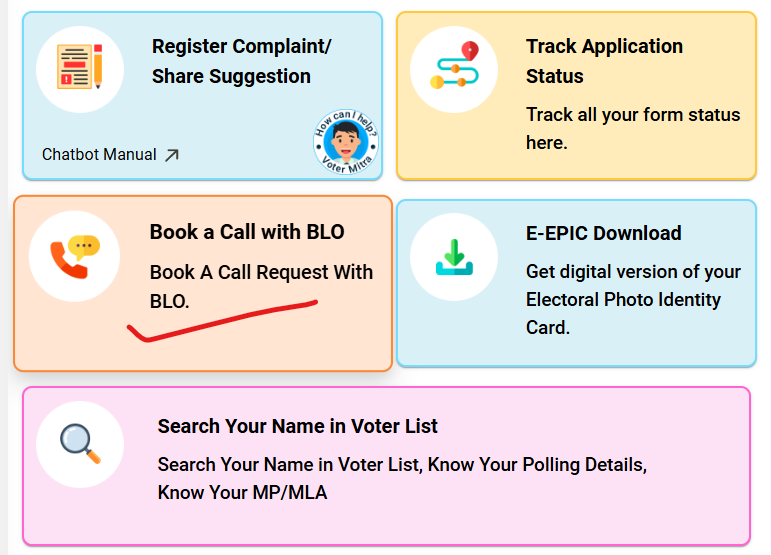
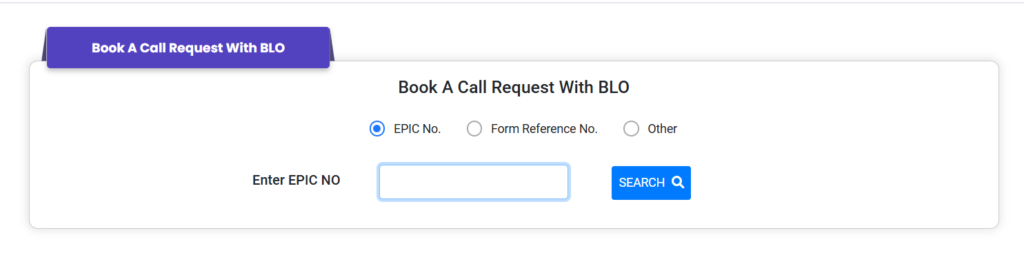
Step 3: Enter Your EPIC No.
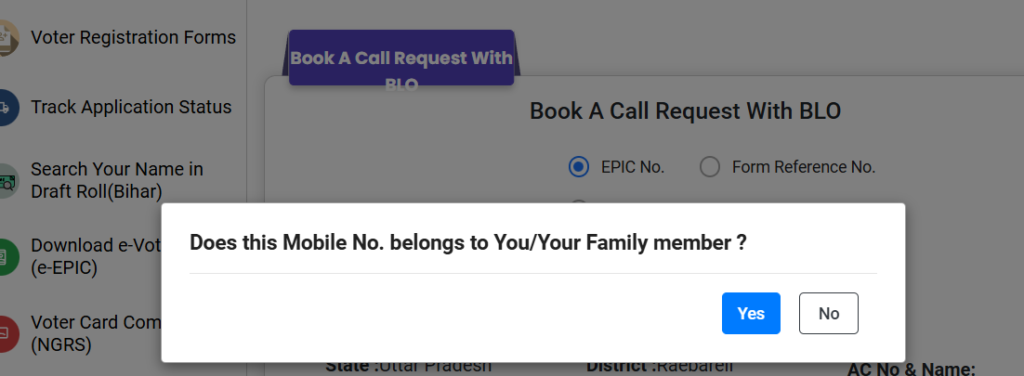
Step 4: Popup message and click yes button.
Step 5: Click on Send OTP and enter OTP.
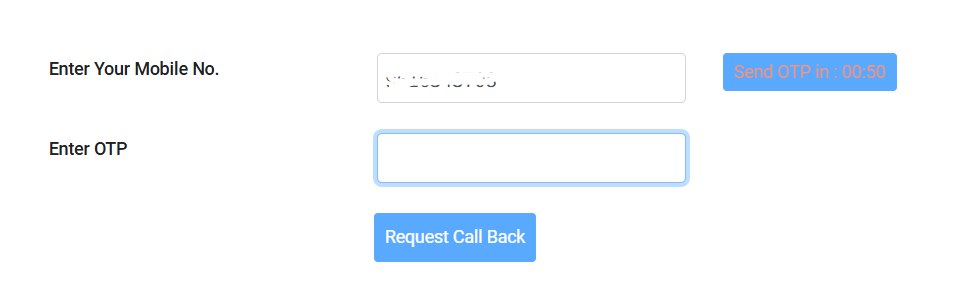
Step 6: Finally, click on Request Call Back for Book a call with BLO.