
CEO Karnataka Voter List 2026 PDF Download: The Election Commission of India has announced a Special Intensive Revision (SIR) of the voter electoral rolls in Karnataka for the upcoming 2026 elections. The enumeration phase, which is administered by Booth Level Officers (BLOs), will go until December 22, 2025.
Citizens are urged to check their entries and file claims or objections if errors are found. The final electoral rolls are scheduled for publication by February 7, 2026. The CEO Karnataka website provides the facility to download voter list PDFs, check names, and apply for corrections electronically.
CEO Karnataka Voter List 2026: Overview
| Category | Details |
|---|---|
| Article Title | CEO Karnataka Voter List 2025 PDF Download, Electoral Roll with Photo |
| State | Karnataka |
| Authority | Chief Electoral Officer (CEO), Karnataka |
| Official Website | https://ceo.karnataka.gov.in |
| Enumeration Period | Until December 22, 2025 |
| Final Roll Publication Date | February 7, 2026 |
| Correction Window | November 2025–Jan 2026 |
| Last Date to Apply/Correct | Before closure of Special Intensive Revision round |
| Eligibility | Indian Citizens, 18 years or above as on 1 January 2026 |
| Current Update | Special Intensive Revision (SIR) 2026 underway |
| Application Modes | Online and Offline/BLO Assistance |
| Download Availability | PDF Voter List and Individual Voter Slip (with Photo) |
| How to Check | Search by name, EPIC number, or area online |
| Contact/Help | Helpline 1950, official website FAQs |
CEO Karnataka Voter List 2026
All eligible residents aged 18 and up as of January 1, 2026, are advised to visit the official CEO Karnataka website for their listing and details before the closing date. The download procedure has been updated and voters may easily review their information from home. Official website: https://ceo.karnataka.gov.in.
Download CEO Karnataka Voter List 2025 Electoral Roll PDF
Follow these steps to download the updated Karnataka voter list for your area:
Step 1: Voter’s need to visit to official website CEO Karnataka.

Step 2: On the homepage, search and click on the “Electoral Roll (PDF) 2025” or “Voter List Download” section.
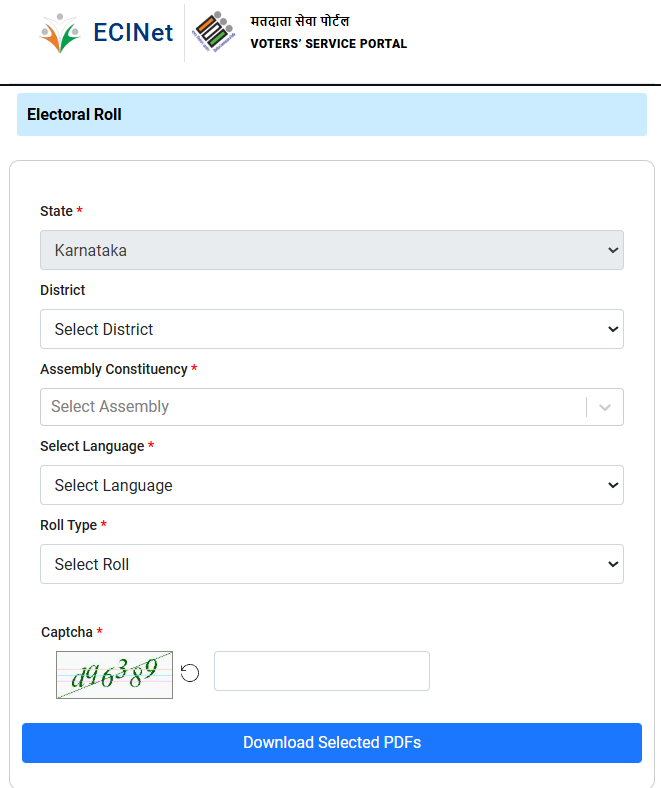
Step 3: Select your District, Assembly Constituency, Select Language, Roll Type and Part Number (Booth).
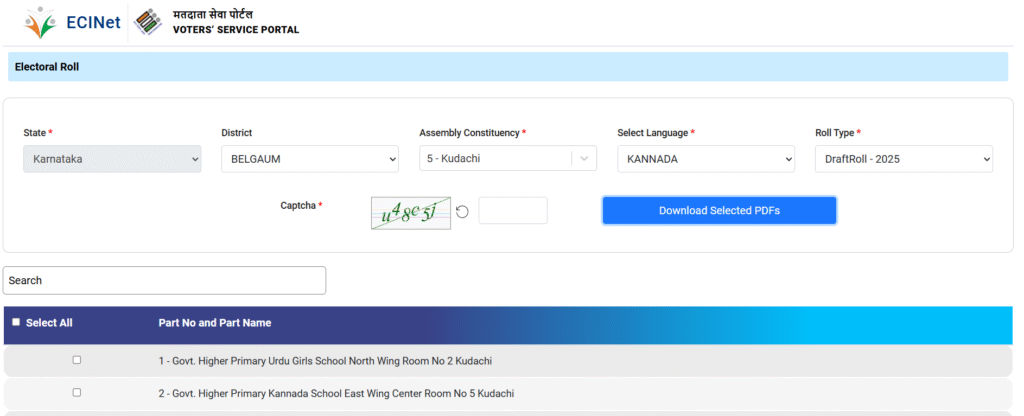
Step 4: Enter the provided captcha or security code if required. After that, click on Download Selected PDFs
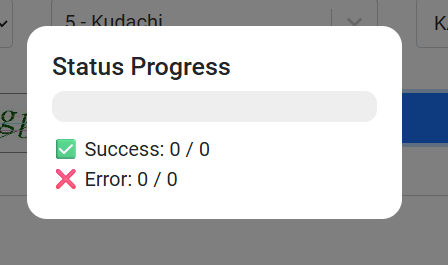
Step 5: Download the PDF file; the voter list will show names, addresses, and photos of eligible voters for your selected area.
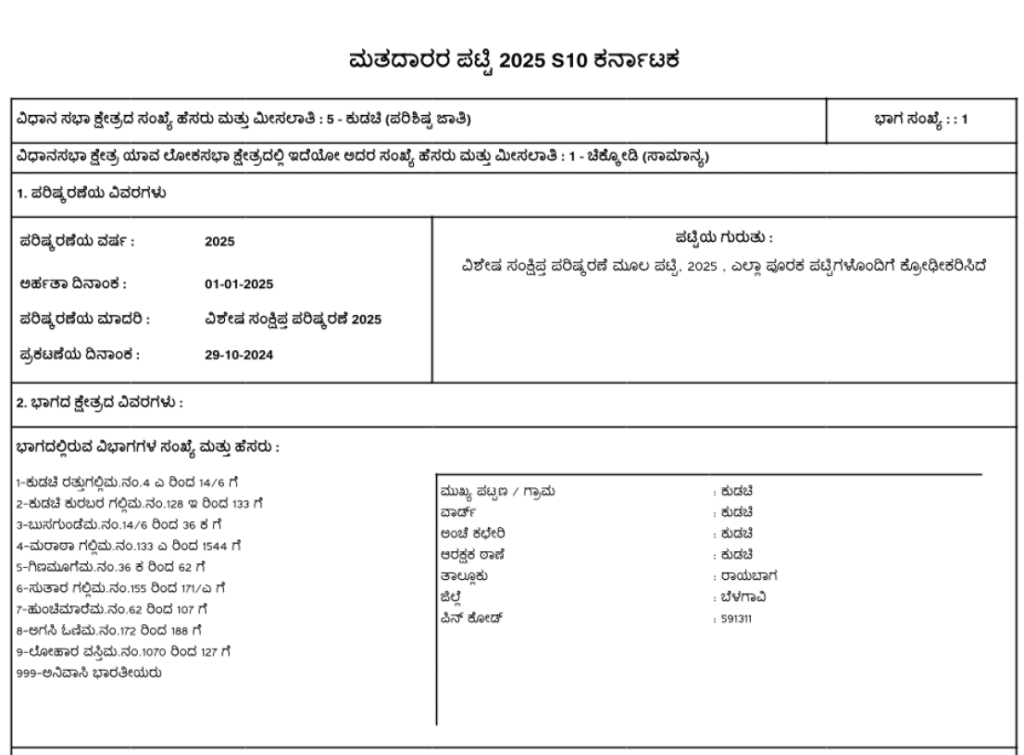
Step 6: Open the PDF to verify if your name and details are present and correct.

Download Karnataka Voter ID Card: How to Check Name in Voters List?
Step 1: Visit the official voter portal at https://voters.eci.gov.in.

Step 2: Click on ‘Search in Electoral Roll’ or ‘Search Your Name in Voter List’.
Step 3: Choose to search by either:
- Name, father’s/husband’s name, and age/date of birth
- EPIC (Voter ID) Number
- Area/Booth details (District, Assembly Constituency, Polling Booth)
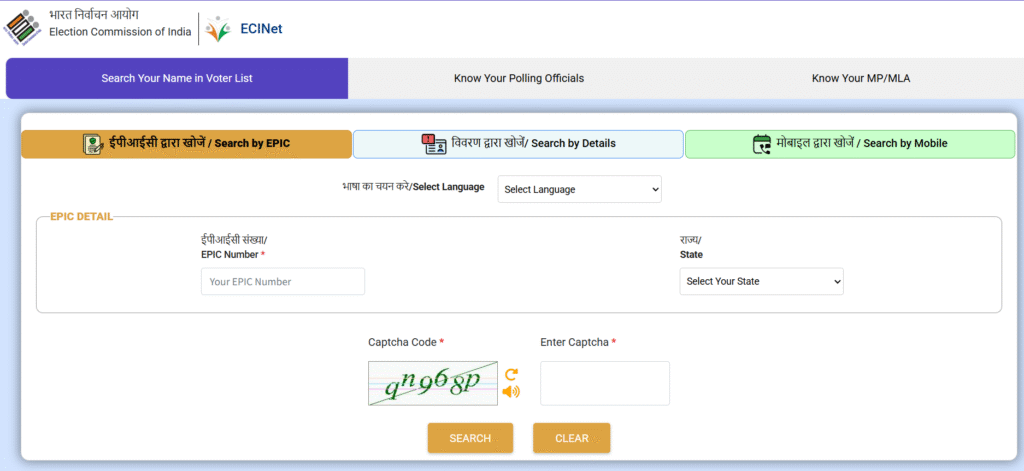
Enter your EPIC Number and Select State.
OR

Type voters name, relatives name, date of birth, age, gender, select district and assembly constituency
OR

Enter your Mobile number and OTP.
Step 4: Enter your details as required and complete the captcha verification.
Step 5: Click on search button and Voter’s details show on the screen.
Finally, Click on “Print Voter Information” and Download PDF file for future reference.
OR
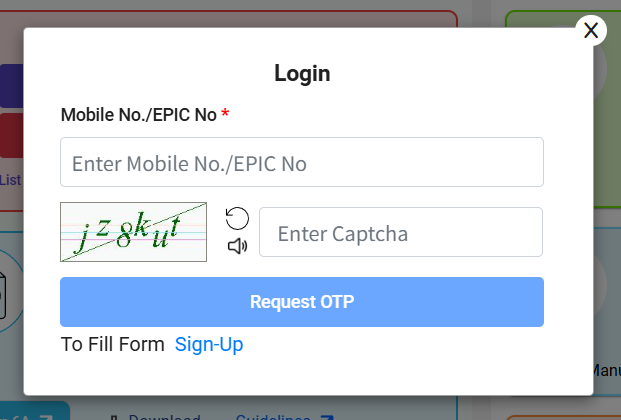
To download your digital Voter ID Card (e-EPIC), if eligible, follow the portal’s links and authenticate with a one-time password (OTP).
