CTET 2026 Online Registration, Application Form, Fee Payment, Last Date: The Central Board of Secondary Education (CBSE) has released the CTET 2026 notification for the February session and activated the online registration link on the official website ctet.nic.in. Eligible candidates who want to become teachers for Classes 1 to 5 (Paper I) or Classes 6 to 8 (Paper II) can now fill the CTET 2026 application form completely in online mode only, including fee payment.
Join Teacher Eligibility Test 2026 ( CTET, UPTET, REET) WhatsApp Channel
The online application window is available starting November 27, 2025, and will stay open until December 18, 2025 (11:59 p.m.), which is also the deadline for fee payment according to the official schedule. The CTET February 2026 exam will be conducted on February 8, 2026, using an offline OMR-based test at various venues across India.
CTET 2026 Online Registration
| Particulars | Details |
|---|---|
| Exam Name | Central Teacher Eligibility Test (CTET) February 2026 |
| Conducting Authority | Central Board of Secondary Education (CBSE) |
| Level of Exam | National level |
| Purpose | Eligibility for teacher recruitment for Classes 1–8 in KVS, NVS, and other schools |
| Exam Date | 8 February 2026 |
| Exam Mode | Offline (OMR-based) |
| Papers | Paper I (Classes 1–5), Paper II (Classes 6–8) |
| Official Website | www.ctet.nic.in |
How to Apply CTET 2026 Form?
To apply for the CTET February 2026 exam, candidates can take the following steps:
Step 1: First Visit the Official CTET website https://ctet.nic.in/
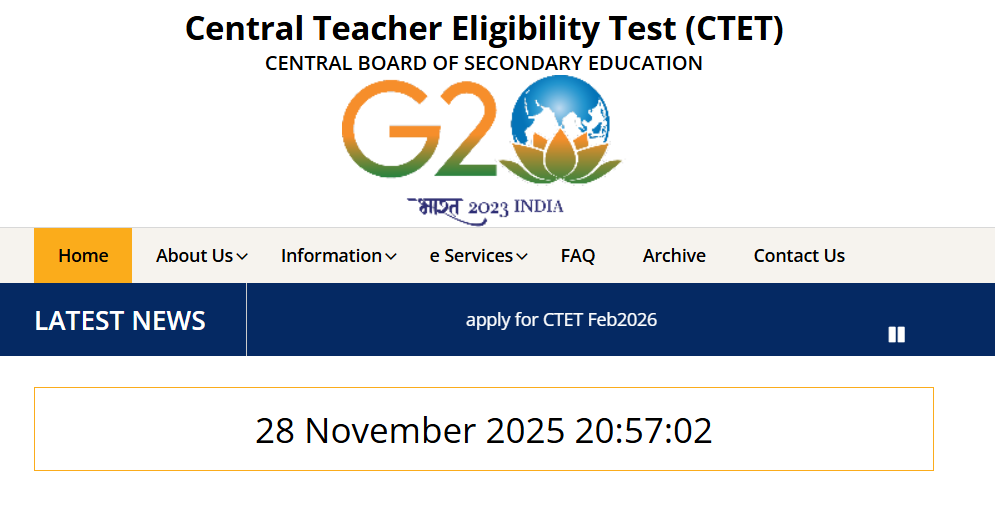
Step 2: On the homepage, candidate click on the “apply for CTET Feb2026” link.
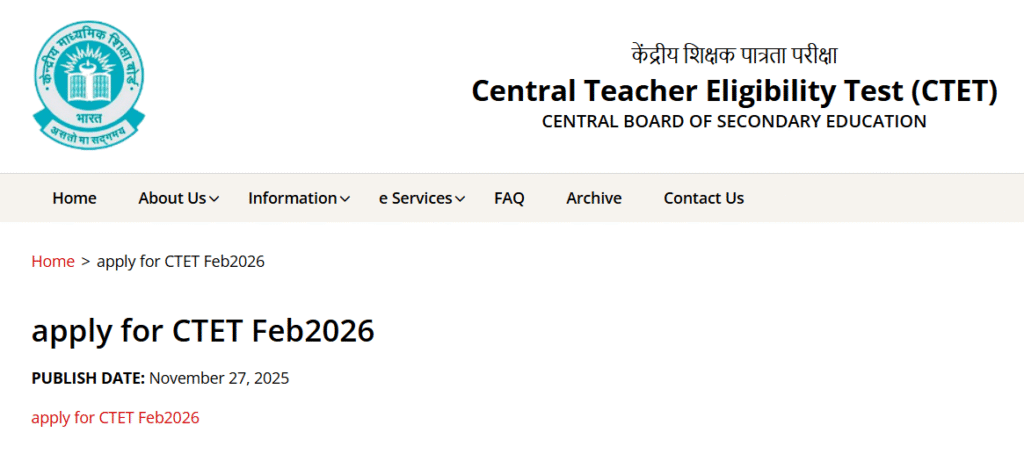
Step 3: In the Next Page Open, candidate click again on the “apply for CTET Feb2026” link.
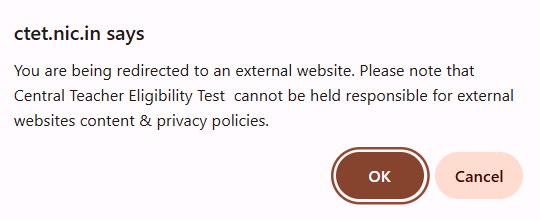
Step 4: The link redirects candidates to the registration page where the online process begins.
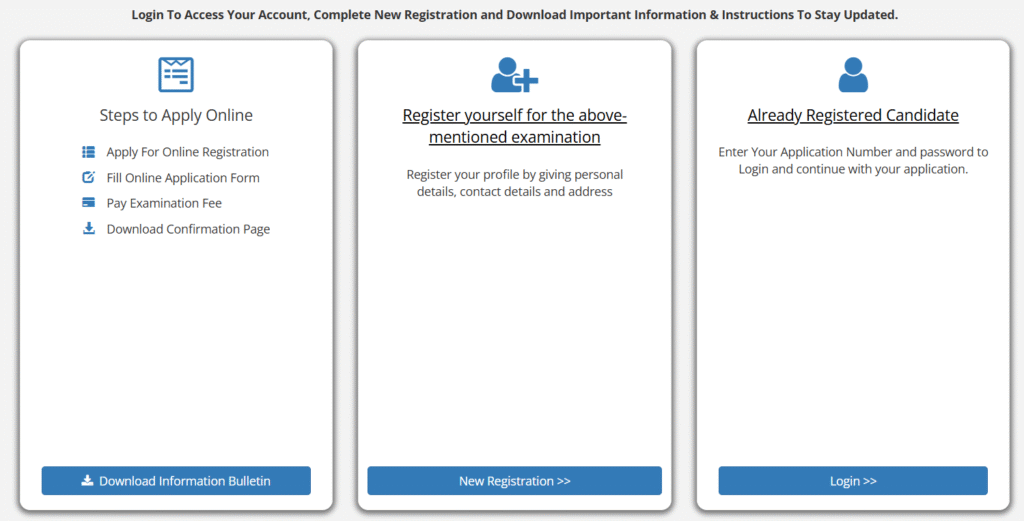
Login To Access Your Account, Complete New Registration and Download Important Information & Instructions to application form.
Step 5: After that, Click on New Registration Link.
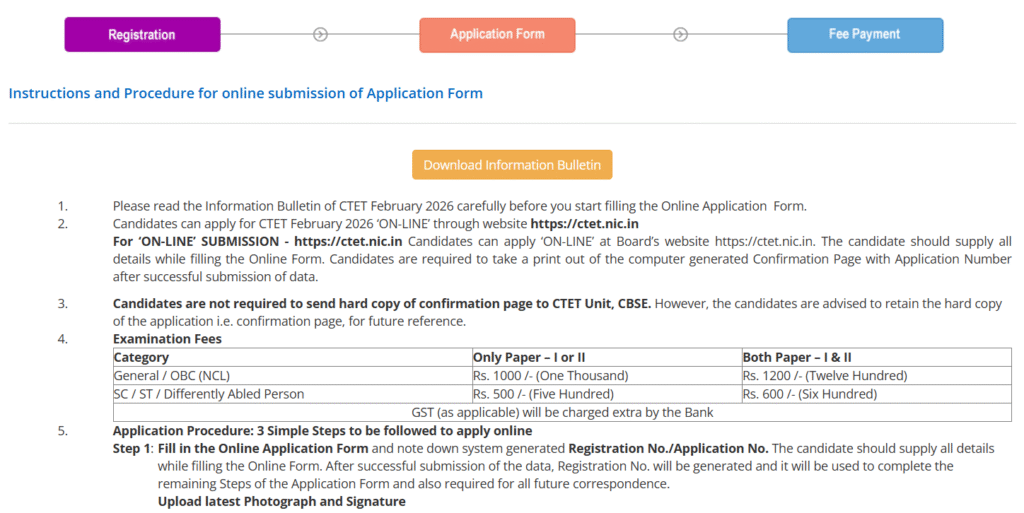
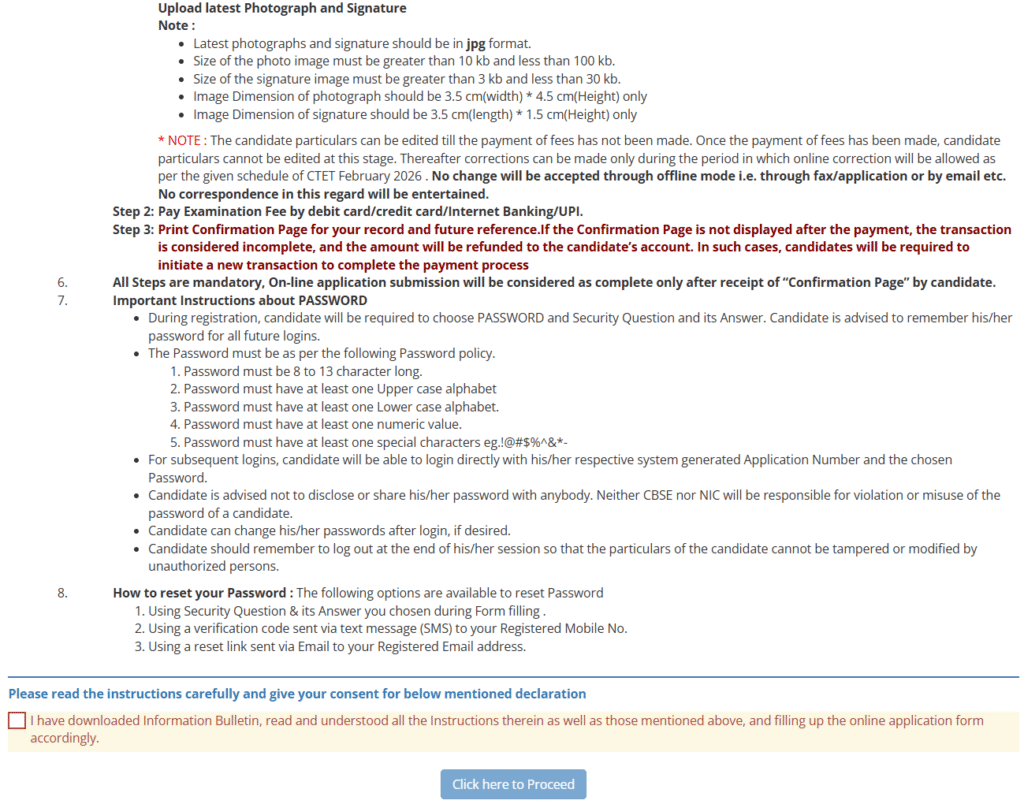
Step 6: Tick on declaration box and Click her to Proceed button
Fill the authentication form Details Link:
- Personal Details,
- Contact Details
- Electronic Communication Address
- Permanent Address
- Choose Password
- Captcha
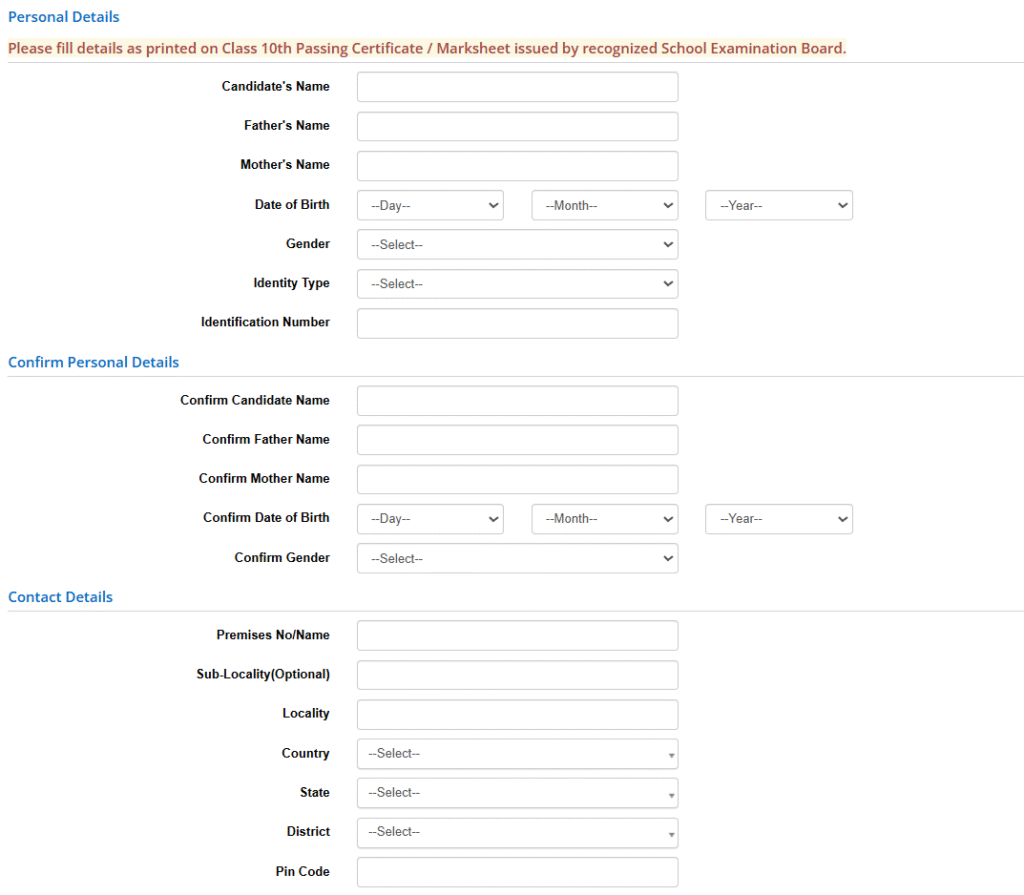
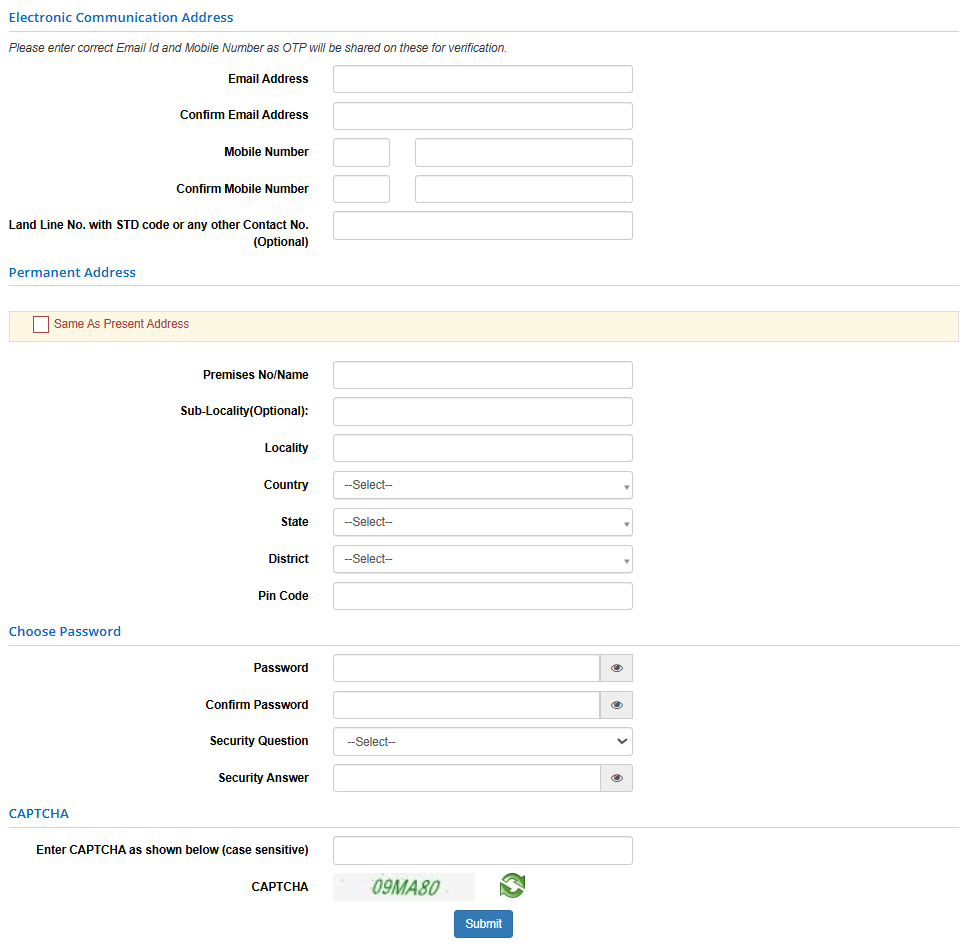
Step 7: Fill the Details and click on SUBMIT Button.
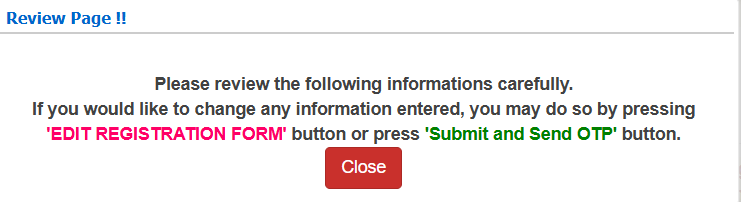
Step 8: After that, review the page
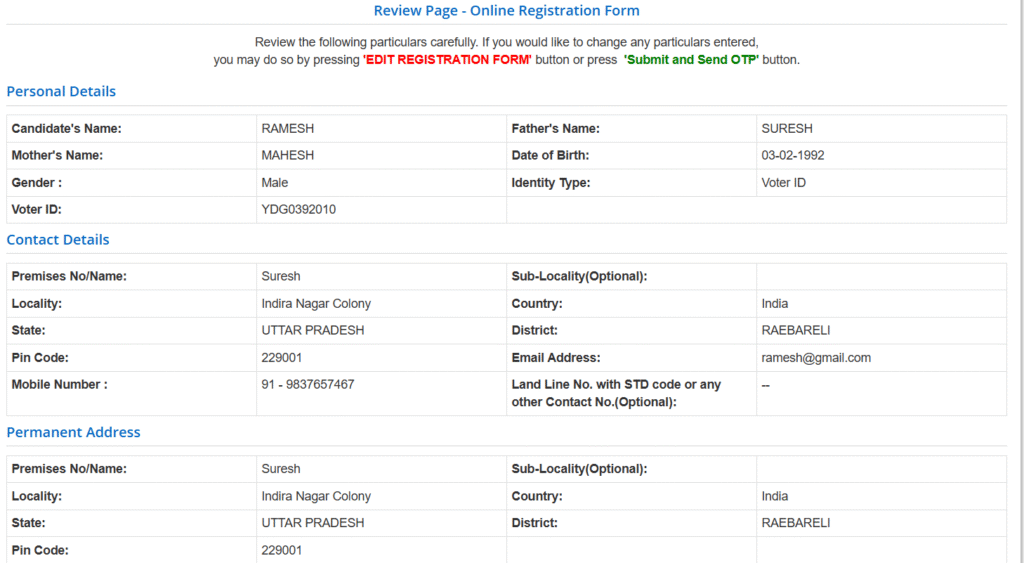
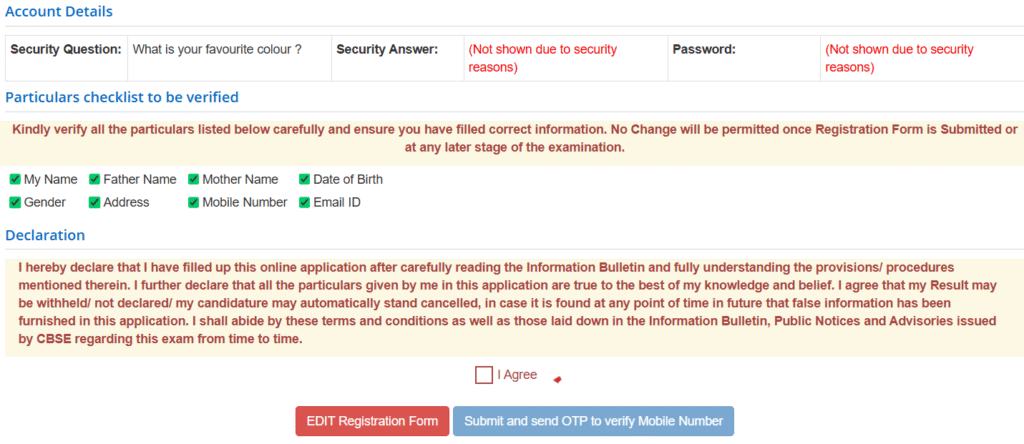
Step 8: Tick the My Name, Father Name, Mother Name, Date of Birth, Gender, Address, Mobile Number and Email ID. Also Tick on I Agree and Click on “Submit and send OTP to verify Mobile Number”.
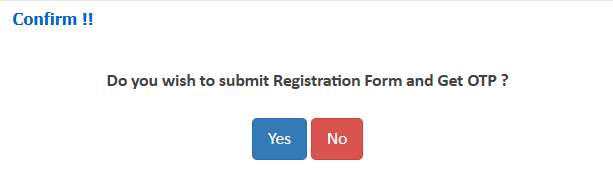
Step 9: Show the Confirm Message and Click on Yes Button.
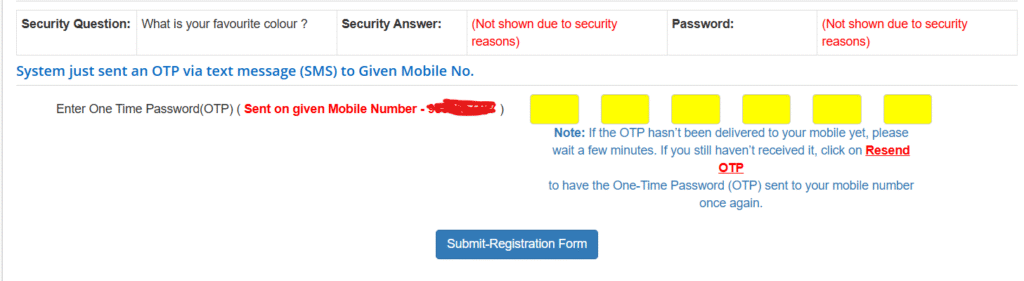
Step 10: Now OTP get on Mobile Number and enter the OTP.
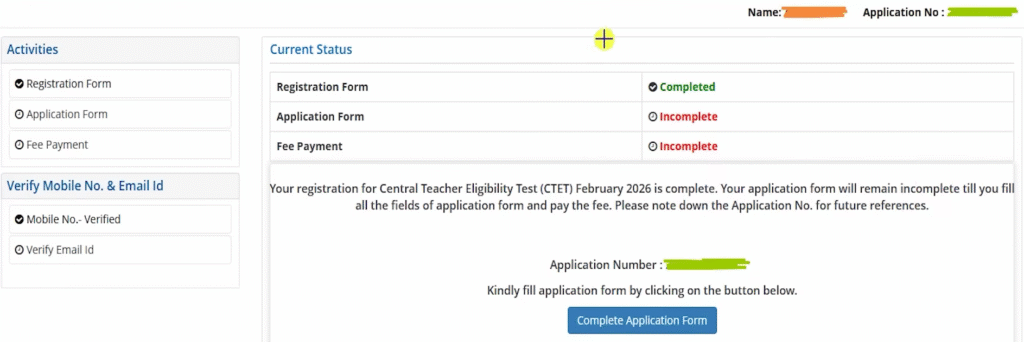
Step 11: Now, show the current status – Registration Form Completed, Application Form and Fee Payment is Incomplete
Step 12: In the Application Form, Show Application Status – Contact Details, Personal Details, Apply for Details, Qualification Details, Upload Photograph & Signature and Final Submit.

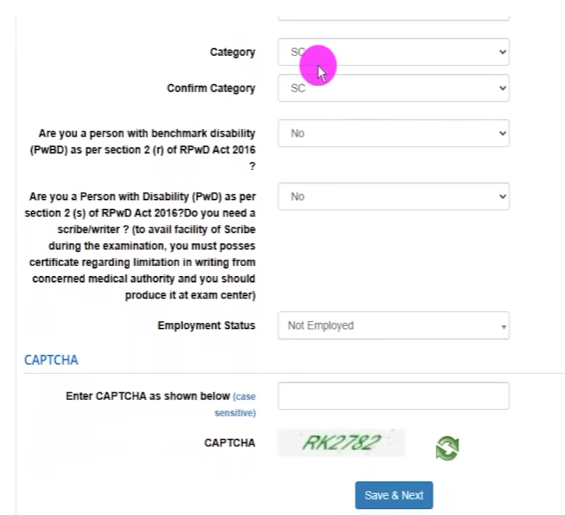
Step 13: Select Category and Captcha Code.
Step 14: In the Apply for Details – Select Apply for Paper 1, 2/ Language 1, 2 / Qualification and Qualifying Exam.
Qualification for Class 1 to 5


Qualification for Class 6 to 8


Enter Captcha Code and Click on Save & Next Button.
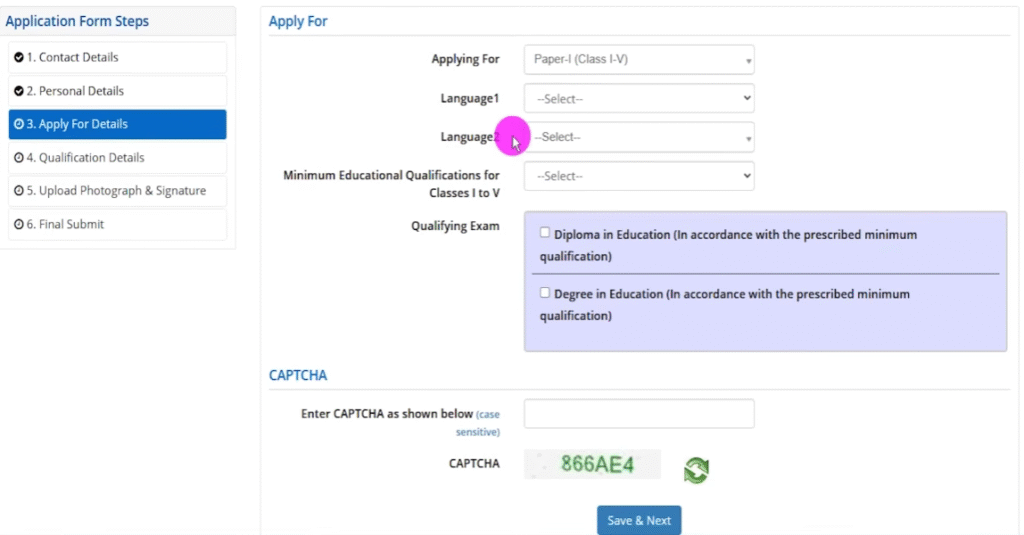
Step 15: Now, fill the Qualification Details with institute details. Enter Captcha Code and Click on Save & Next Button.
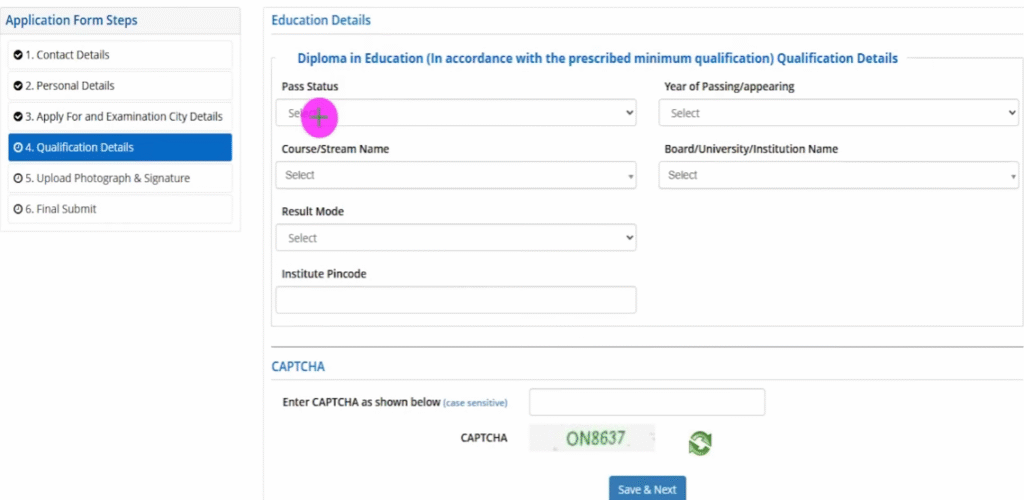
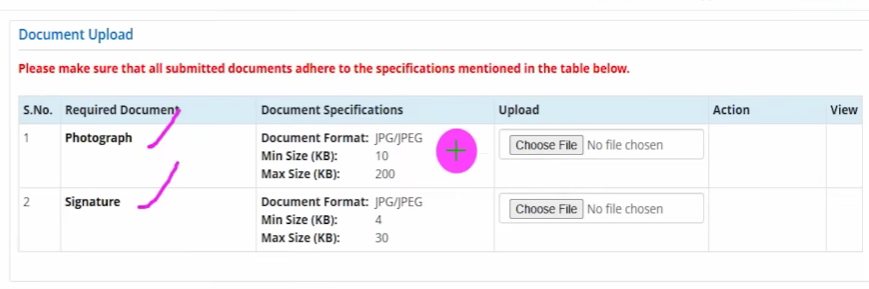
Step 16: In the next step, Upload the Photograph and Signature.
- Photograph: JPG/JPEG format, 10–100 KB, 3.5 cm × 4.5 cm
- Signature: JPG/JPEG format, 3–30 KB, 3.5 cm × 1.5 cm
Step 17: Tick marks on all check box. After that tick on I Agree and click on Final Submission of Application.
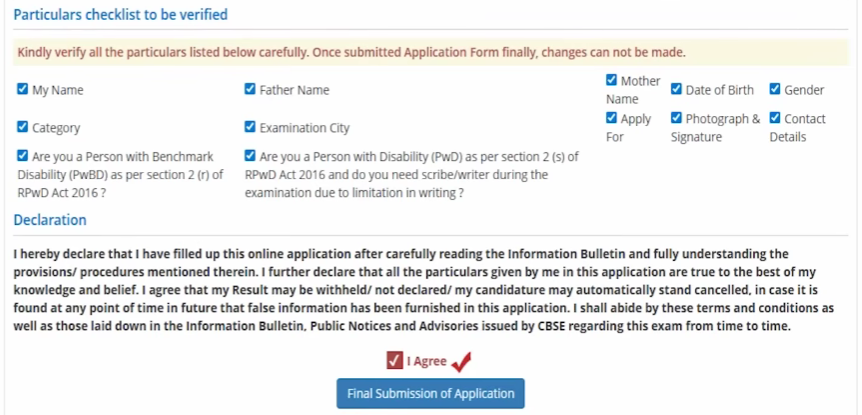
Step 18: Click on “Your email ID yet to verify your Email ID first.”
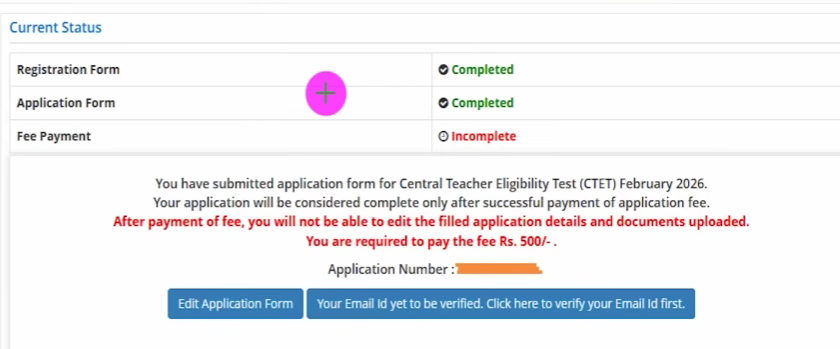
Step 19: Now enter your Registered Email ID and enter CAPTCHA as shown below.
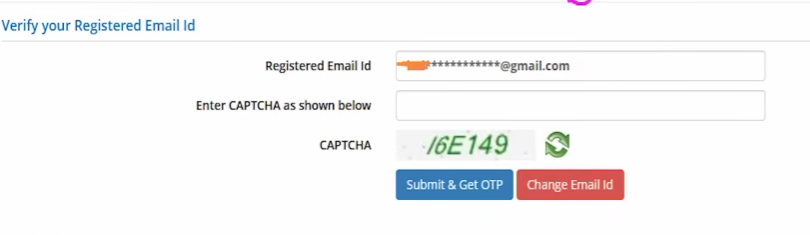
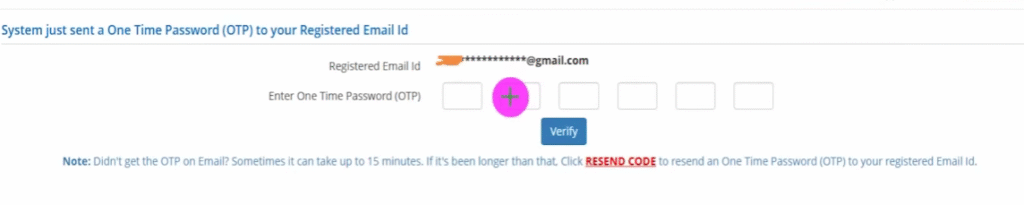
Step 20: Click on Submit & Get OTP button and enter OTP to verify.
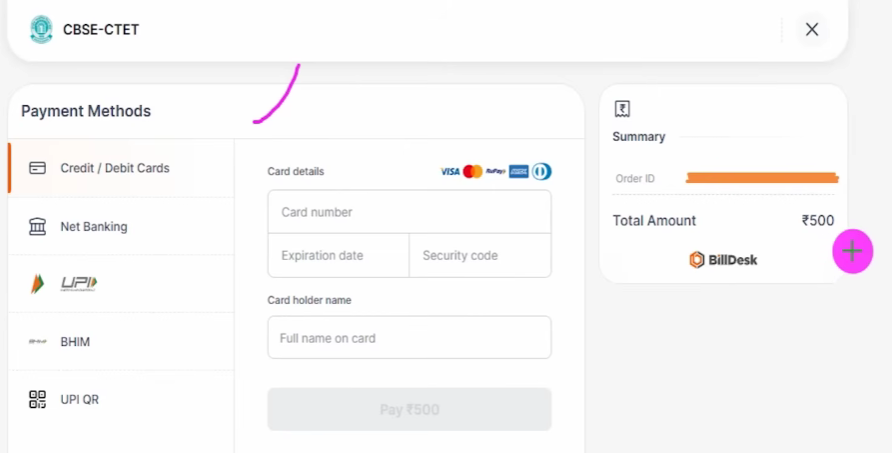
Step 21: After that, Select Mode of Payment – Online Payment and Click to Proceed for payment button.
Payment modes: Debit/Credit card or Net Banking. If payment status is not “OK,” candidates must repay; failed transactions are refunded automatically within a week.
| Category | Only Paper I or II | Both Papers I & II |
| General / OBC (NCL) | ₹1,000 | ₹1,200 |
| SC / ST / Differently Abled | ₹500 | ₹600 |
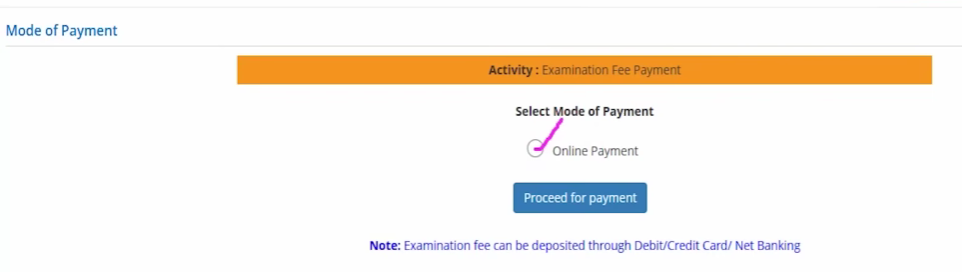
Step 22: Select Payment method and proceed to payment.

Step 23: Now enter your card details or UPI method to pay fee.
Download confirmation page
Final Step: After successful data submission and payment, candidates must download and print the Confirmation Page, the key proof of application completion.
Important Notice
This time the candidate will not be able to choose the exam city in CTET, CBSE will allot the city itself*