icai.org Portal: The ICAI official portal (icai.org) provides a comprehensive platform for student registration, examination applications, status tracking, and access to study materials. The website allows users to register for the CA Foundation, Intermediate, and Final levels, as well as direct entry plans for graduates and postgraduates. Academic qualifications and course prerequisites are used to determine eligibility in accordance with ICAI standards.
To confirm enrolment, candidates must upload the necessary documents and pay the appropriate fees. The portal also allows you to file exam applications, verify results, and administer e-services. The key dates for registration and exam forms change each year, however they are routinely updated on icai.org.
Latest News and Updates
The Institute of Chartered Accountants of India (ICAI) recently declared the results for the September 2025 CA Foundation, Intermediate, and Final examinations on November 3, 2025, accessible via icai.org.
ICAI Portal Overview
| Detail | Information |
|---|---|
| Portal | Institute of Chartered Accountants of India (ICAI) |
| Website | https://www.icai.org |
| Courses Offered | CA Foundation, Intermediate, Final |
| Registration Mode | Online (Self Service Portal) |
| Eligibility | Varies by course; class 12 pass for Foundation, Graduation for Direct Entry |
| Fee Payment | Online via debit/credit card & net banking |
| Document Upload | Mandatory for registration and exam forms |
| Exam Results | Declared online at icai.org |
| How to Apply | Login at eservices.icai.org and apply online for January 2026 Examinations |
| ICAI Exam Result – September 2025 | Announced on 03rd November 2025 |
| ICAI Portal Online Registration | Click Here |
| ICAI Portal Login | Click Here |
| ICAI Result Link | Click Here |
ICAI CA Eligibility
- For CA Foundation: Completion of Class 12 or equivalent qualifies for registration.
- For CA Intermediate: Passing CA Foundation or direct entry for graduates/postgraduates with minimum marks (Commerce – 55%, Others – 60%).
- For CA Final: Must have passed Intermediate exams and completed the required articleship training (typically three years).
ICAI Portal Online Registration Form at icai.org
Step 1: Visit the Official ICAI Website at https://www.icai.org.

Step 2: On the homepage, locate and click on the “Self Service Portal (SSP)” or “Student Login” section.
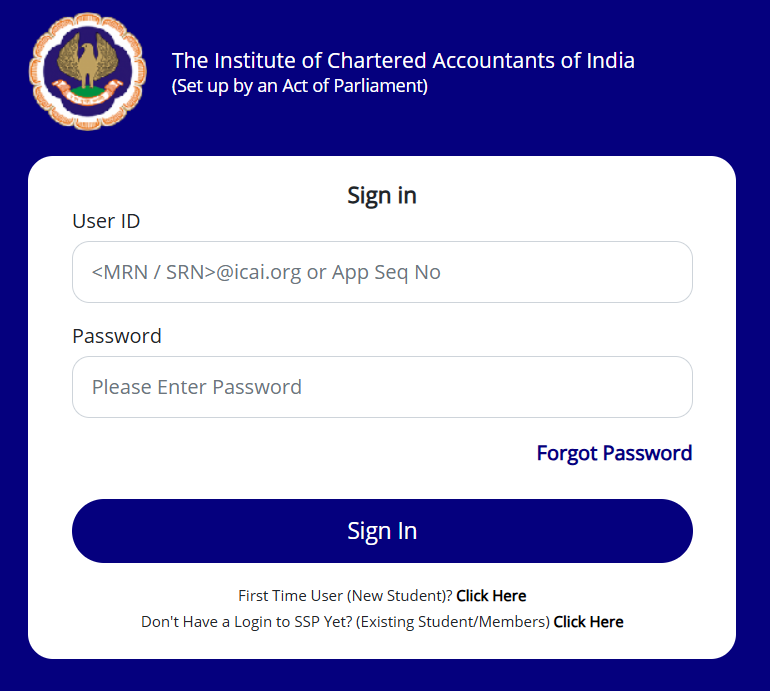
Step 3: New User Registration – If you are a first-time user, click on “Register Now” or “New User? Register Here” link.
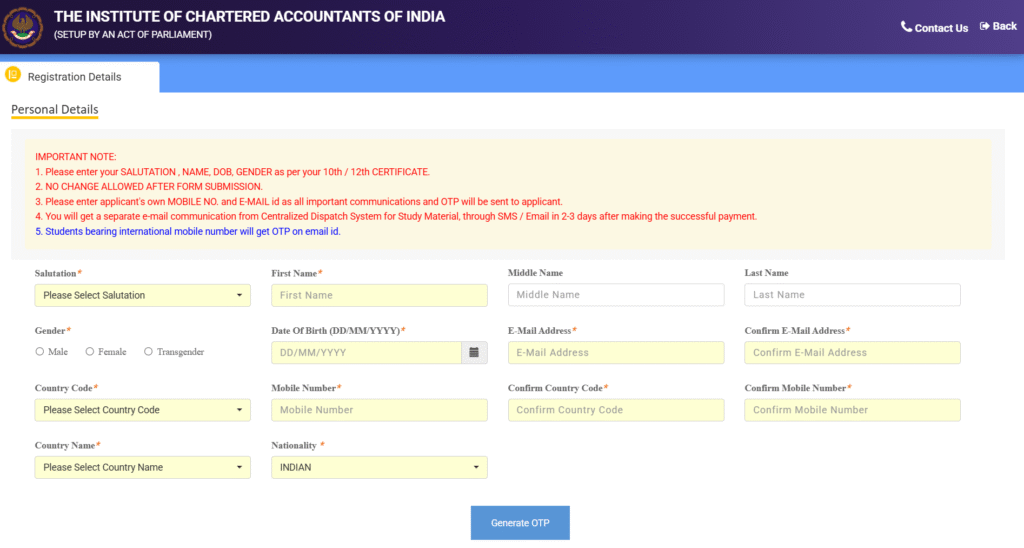
Step 4: Fill Basic Details – Enter your personal details including:
- Full Name
- Date of Birth
- Valid Email ID
- Mobile Number
Verify contact details through OTP verification.
Step 5: Create User ID and Password – Choose a unique User ID and a strong password for your ICAI portal account.
Step 6: Select Course and Registration Type – Choose the course you want to register for:
- CA Foundation
- CA Intermediate (if eligible)
- CA Final (eligible after Intermediate)
- Direct Entry Scheme (if applicable)
Step 7: Fill Educational Qualifications – Upload or enter details of relevant educational certificates:
- For CA Foundation: Class 12 marksheet or equivalent
- For CA Intermediate Direct Entry: Graduation or Post-Graduation certificates with marks
Step 8: Scan and upload mandatory documents in prescribed formats such as:
- Passport size colored photograph
- Signature
- Educational certificates
- Category certificate (if applicable)
Step 9: Pay Registration Fees – Using available online payment methods (credit/debit card, internet banking), pay the applicable registration fee.
Step 10: Submit Application – Review all the information for accuracy, then submit the registration form.
Step 11: Receive Student Registration Number (SRN)
After successful submission, you will get a unique Student Registration Number. Save this for all future ICAI activities.
Step 12: Download Acknowledgment
Download or print the registration acknowledgment receipt for records.
ICAI Login Process
Step 1: Open your web browser and Open to the official ICAI portal: https://www.icai.org.
Step 2: On the homepage or under the “Students” menu, click on the link for “Self Service Portal (SSP)” or go directly to https://www.icai.org/student-login.
Step 3: In the login page, enter your ICAI User ID or Student Registration Number (SRN).
Step 4: Enter your account password correctly.
Step 5: Now, enter the characters displayed in the captcha image (for security verification).
Step 6: Submit the “Login” button to access your personal dashboard on the ICAI portal.
Step 7: Upon successful login, you can access various services such as:
- View and update personal details
- Register for courses or exams
- Upload documents
- Check exam application status
- Download admit cards
- View exam results
- Make fee payments
- Access learning resources
Step 8: Forgot Password (If Needed)
If you forget your password, click on the “Forgot Password” link, provide User ID or registered email/mobile, and follow the instructions to reset your password via OTP or email.
How to ICAI Result/ Merit List?
Step 1: Open a web browser and go to the official ICAI website: https://www.icai.org.

Step 2: On the homepage, check the “Important Announcements” menu or Alternatively, visit the dedicated results page directly at https://icai.nic.in/caresult/.
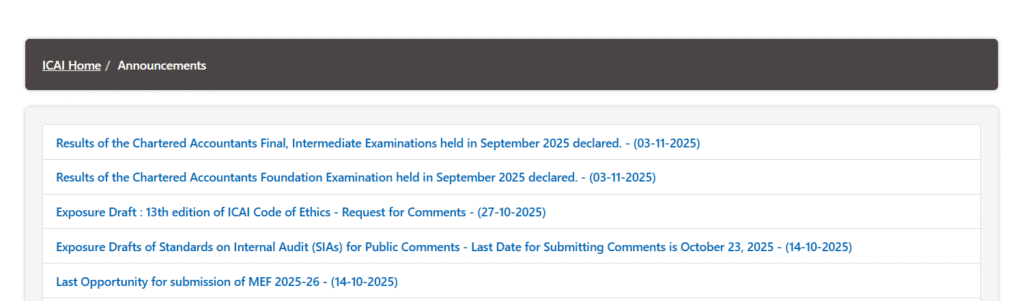
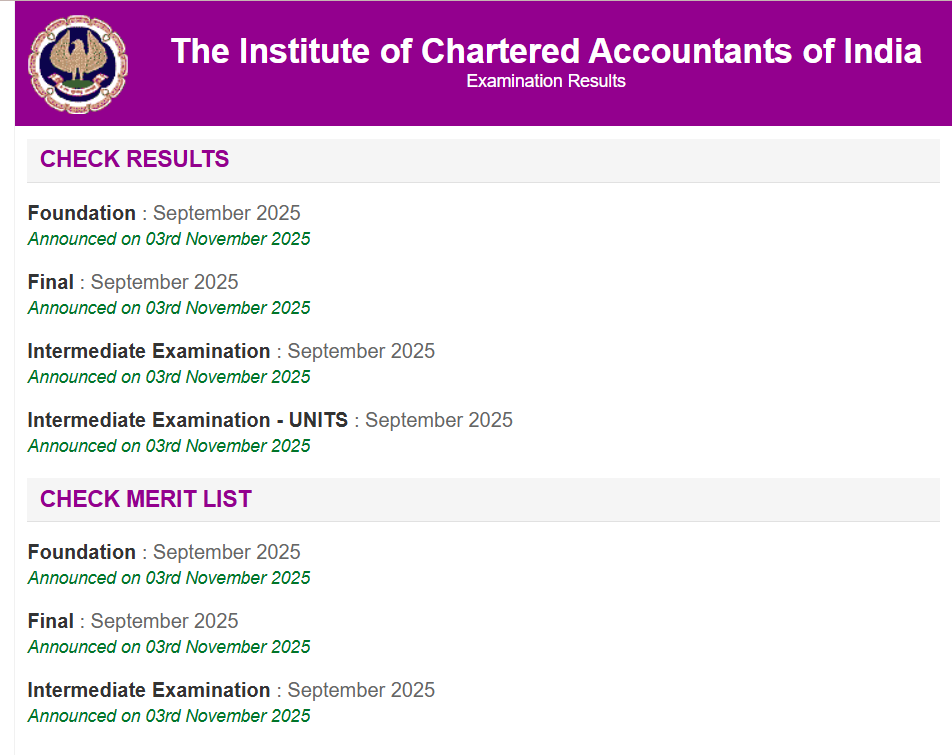
Step 3: Choose the exam for which you want to check the result:
- Foundation : September 2025 Announced on 03rd November 2025
- Final : September 2025 Announced on 03rd November 2025
- Intermediate Examination : September 2025 Announced on 03rd November 2025
- Intermediate Examination – UNITS : September 2025 Announced on 03rd November 2025

Step 4: Enter Required Credentials such as:
- Roll Number or Registration Number
- Date of Birth (if applicable)
- Captcha/verification code displayed on the screen
Step 5: Now, Click the “Submit” or “View Result” button after entering the information accurately.
Step 6: Your result will be displayed on the screen showing marks, pass/fail status, and merit list information (if applicable). You can download or print this for future reference.
Step 7: Check Rank and Merit List (Optional)
- Foundation : September 2025 Announced on 03rd November 2025
- Final : September 2025 Announced on 03rd November 2025
- Intermediate Examination : September 2025 Announced on 03rd November 2025
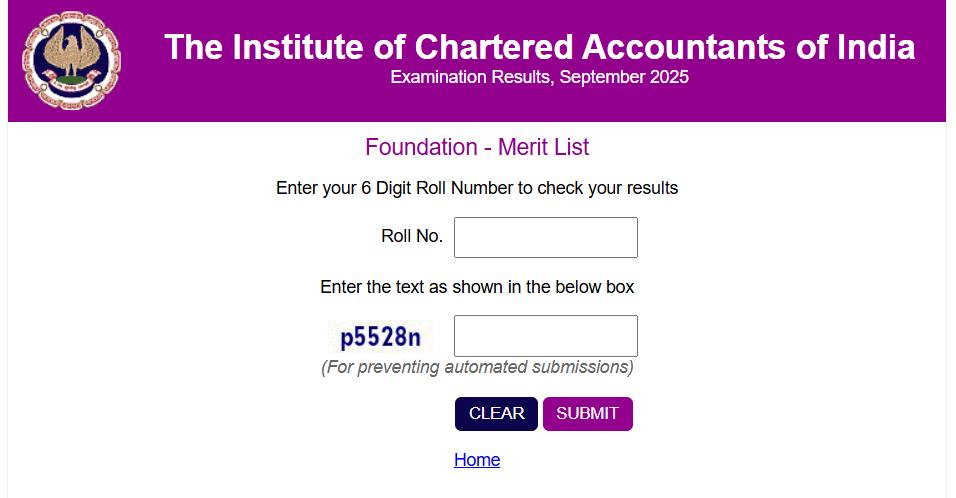
If available, you can access the merit list or rank holders’ list published alongside results on the official website.
ICAI Portal Important Dates
- Online Exam Forms (Foundation, Intermediate, Final) – January 2026
| Event | Date & Time |
|---|---|
| Start Date | 03-November-2025 (10:00 Hrs IST) |
| Last Date for Online Submission of form without late fee | 16-November-2025 (23:59 Hrs IST) |
| Last Date for Online Submission of form with late fee | 19-November-2025 (23:59 Hrs IST) |
- Correction Window (Foundation, Intermediate, Final) – January 2026
| Event | Date & Time |
|---|---|
| Start Date | 20-November-2025 (10:00 Hrs IST) |
| End Date | 22-November-2025 (23:59 Hrs IST) |